
2.5 KiB
Features
- intuitive and simple terminal UI, no need to run servers, frontends, just type
otermin your terminal. - supports Linux, macOS, Windows and FreeBSD, and most terminal emulators.
- multiple persistent chat sessions, stored together with system prompt & parameter customizations in sqlite.
- talks to Ollama, OpenAI, Anthropic, Google (AI / Vertex), Groq, Mistral, Cohere, AWS Bedrock, DeepSeek, Cerebras, Grok, Hugging Face, and any OpenAI-compatible endpoint, local (vLLM, LM Studio, llama.cpp, …) or hosted (OpenRouter, LiteLLM, …).
- tools: built-in (
shell,date_time,think,generate_image), custom Python plugins via entry points, and any Model Context Protocol (MCP) server. - capabilities: web search, URL fetching, persistent memory, file access limited to the start directory, summarizing long conversations to fit the context window, and responses spoken aloud in the GLaDOS voice.
- allows for easy customization of the model's system prompt and parameters.
- shows how much of the model's context window the conversation uses. For local servers this is the window the server actually runs the model with.
Using oterm
oterm picks up providers automatically from your environment. If Ollama is running on http://127.0.0.1:11434 it shows up with no configuration. For any other hosted provider, set the relevant API key (OPENAI_API_KEY, ANTHROPIC_API_KEY, etc.) and it appears in the provider dropdown. For other local runners (vLLM, LM Studio, llama.cpp, …) or hosted OpenAI-compatible endpoints (OpenRouter, LiteLLM, …), add an entry to the openaiCompatible section of config.json. See Providers and API keys and the openaiCompatible config block.
To point Ollama at a non-default host or disable SSL verification, see Environment variables.
To start oterm simply run:
oterm
If you installed oterm using uvx, you can also start it using:
uvx oterm
Screenshots
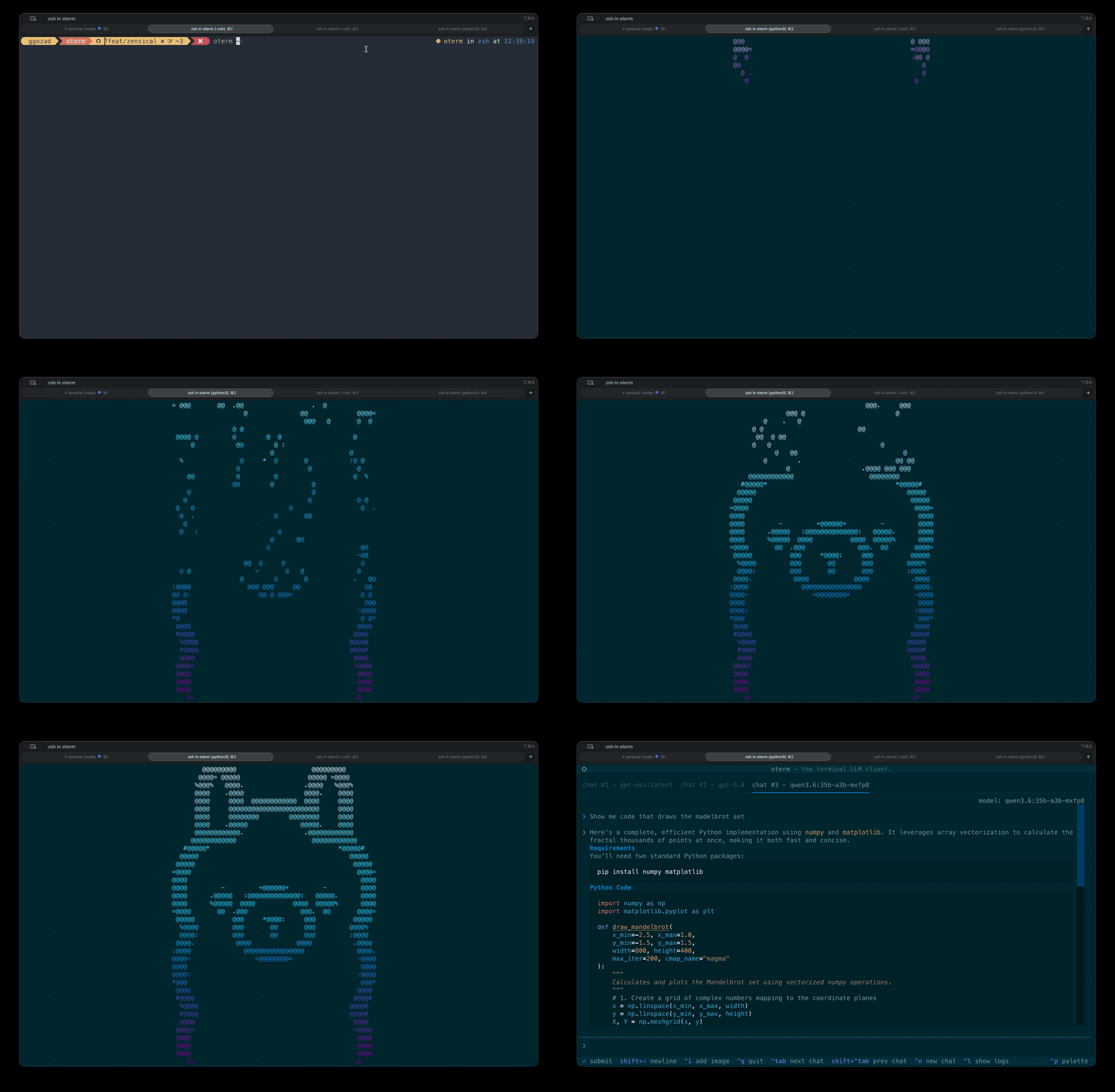 The splash screen shown at startup.
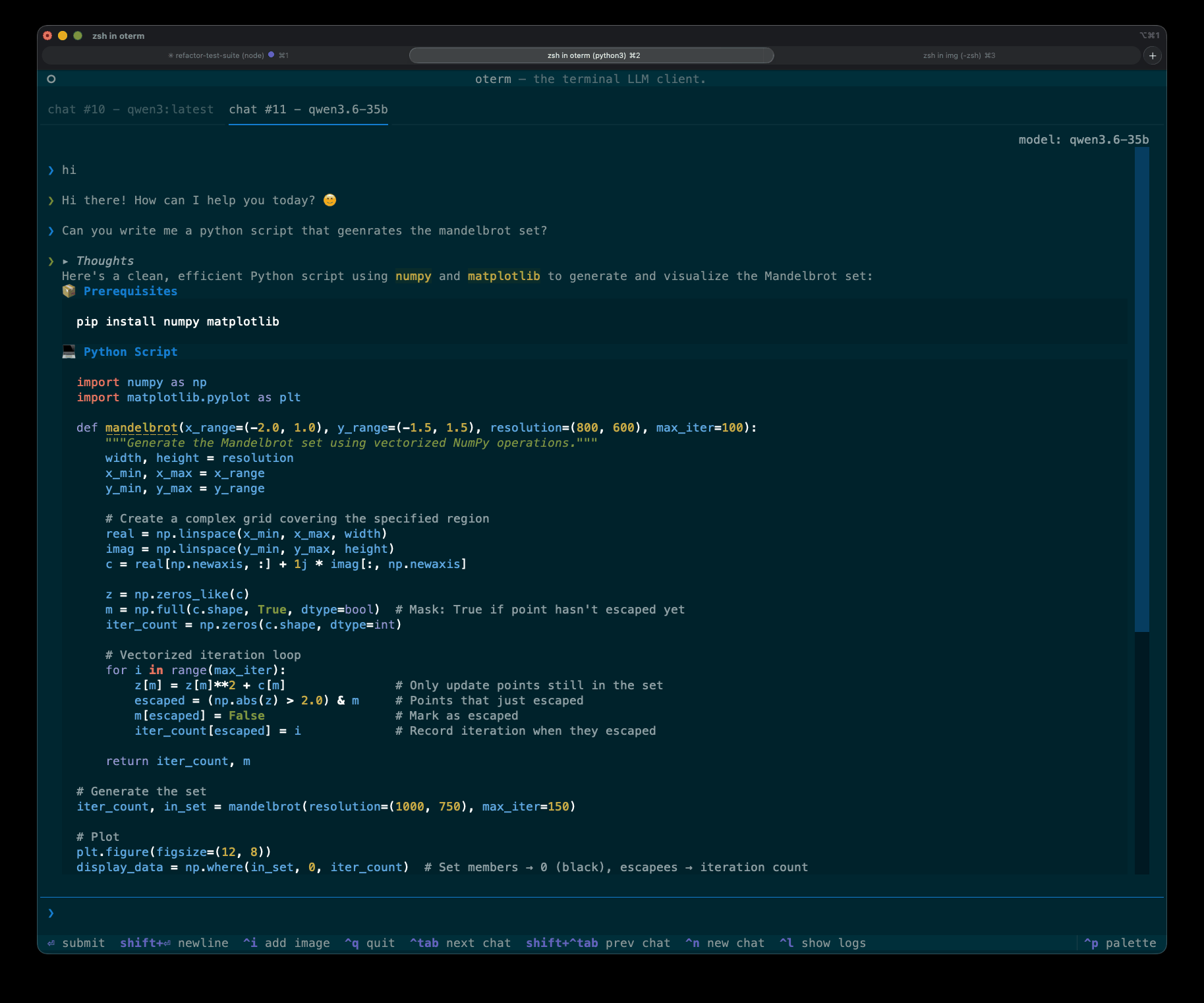 A chat.
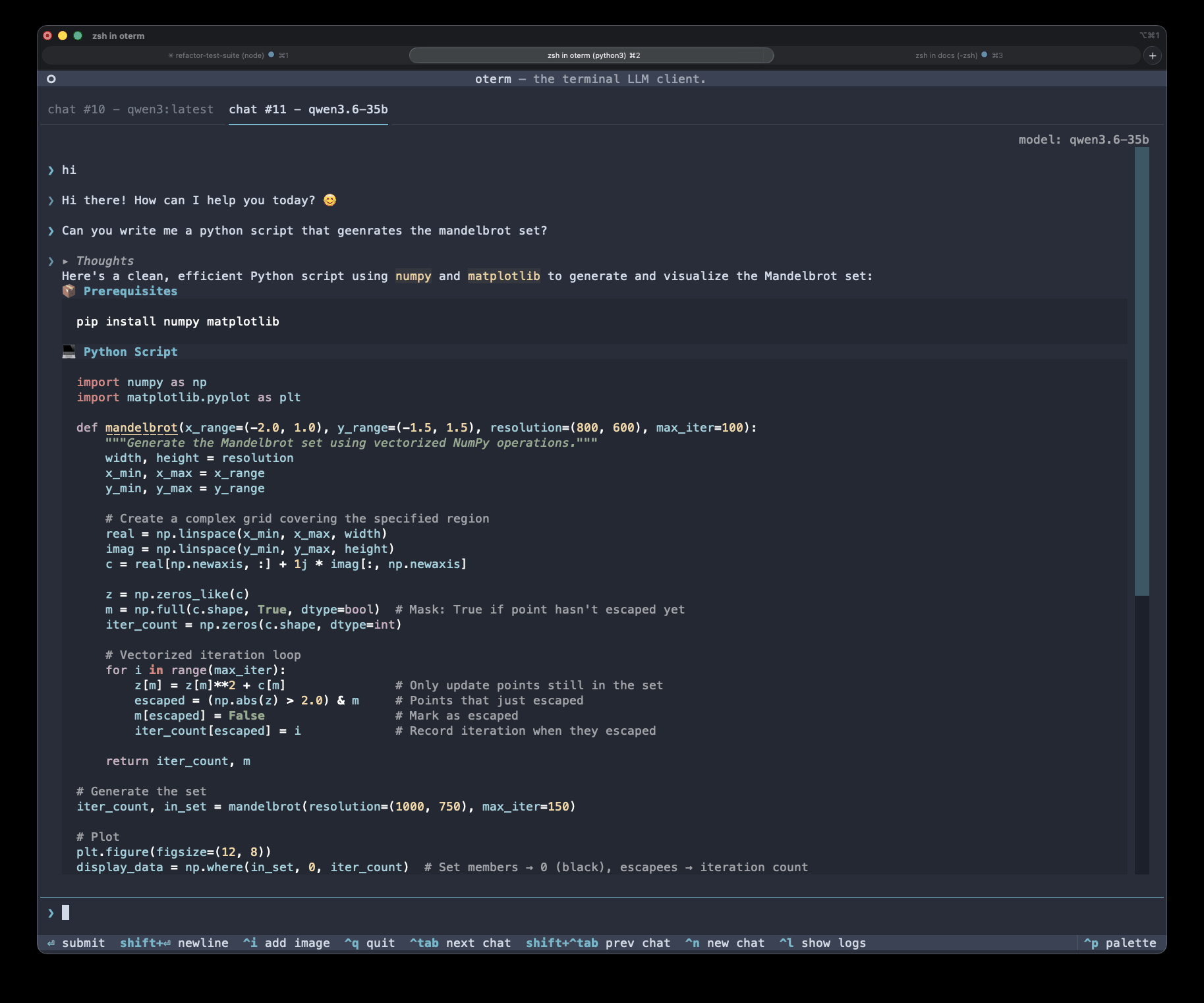 oterm ships with Textual's themes plus solarized-dark. Switch themes from the command palette.
License
This project is licensed under the MIT License.