 df5113ddaa
Addresses #479, and adds a section for an AI policy based on what is outlined by @niklasmohrin in that issue. The AI Policy is located below the "Development" section.
5.9 KiB
tealdeer
| Crate | CI (Linux/macOS/Windows) |
|---|---|
 |
 |
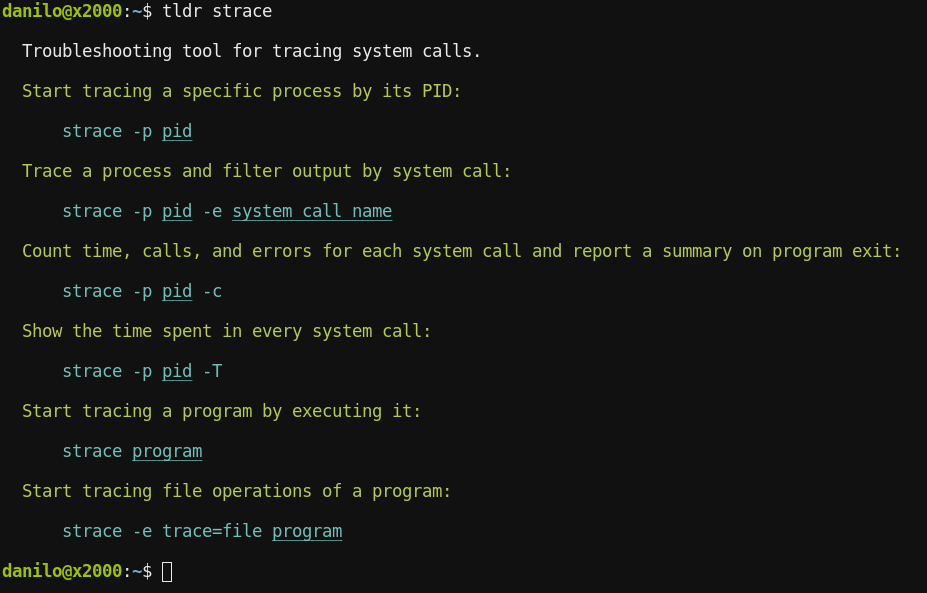
A very fast implementation of tldr in Rust: Simplified, example based and community-driven man pages.
If you pronounce "tldr" in English, it sounds somewhat like "tealdeer". Hence the project name :)
In case you're in a hurry and just want to quickly try tealdeer, you can find static binaries on the GitHub releases page!
Docs (Installing, Usage, Configuration)
User documentation is available at https://tealdeer-rs.github.io/tealdeer/!
The docs are generated using mdbook.
They can be edited through the markdown files in the docs/src/ directory.
Goals
High level project goals:
- Download and cache pages
- Don't require a network connection for anything besides updating the cache
- Command line interface similar or equivalent to the NodeJS client
- Comply with the tldr client specification
- Advanced highlighting and configuration
- Be fast
A tool like tldr should be as frictionless as possible to use and show the
output as fast as possible.
We think that tealdeer reaches these goals. We put together a (more or less)
reproducible benchmark that compiles a handful of clients from source and
measures the execution times on a cold disk cache. The benchmarking is run in a
Docker container using sharkdp's hyperfine
(Dockerfile).
| Client (50 runs, 17.10.2021) | Programming Language | Mean in ms | Deviation in ms | Comments |
|---|---|---|---|---|
outfieldr |
Zig | 9.1 | 0.5 | no user configuration |
tealdeer |
Rust | 13.2 | 0.5 | |
fast-tldr |
Haskell | 17.0 | 0.6 | no example highlighting |
tldr-hs |
Haskell | 25.1 | 0.5 | no example highlighting |
tldr-bash |
Bash | 30.0 | 0.8 | |
tldr-python-client |
Python | 87.0 | 2.4 | |
tldr-node-client |
JavaScript / NodeJS | 407.1 | 12.9 |
As you can see, tealdeer is one of the fastest of the tested clients.
However, we strive for useful features and code quality over raw performance,
even if that means that we don't come out on top in this friendly competition.
That said, we are still optimizing the code, for example when the outfieldr
developers suggested to switch to a native TLS
implementation instead of the native libraries.
Development
Creating a debug build with logging enabled:
$ cargo build --features logging
Release build without logging:
$ cargo build --release
To enable the log output, set the RUST_LOG env variable:
$ export RUST_LOG=tldr=debug
To run tests:
$ cargo test
To run lints:
$ rustup component add clippy
$ cargo clean && cargo clippy
AI Policy
Using AI is generally discouraged. However, if it is used as part of a contribution, the contributor MUST:
- Clearly mark what parts (if any) of a contribution were created with the help of AI tools. This includes issue and pull request comments.
- Check all output of AI tools before sharing it with others in the tealdeer project.
- Not post slop, spam, or low quality contributions. This includes pull request descriptions and comments with excessive text and markdown flair.
- Leave small or easy tasks to new contributors who want to learn without the use of AI. This is to maintain the presence of the
good-first-issuetag. - Be respectful of everyone's time: maintainers and other contributors will be reviewing your PRs.
MSRV (Minimally Supported Rust Version)
When publishing a tealdeer release, the Rust version required to build it should be stable for at least a month.
License
Licensed under either of
- Apache License, Version 2.0 (LICENSE-APACHE or http://www.apache.org/licenses/LICENSE-2.0)
- MIT license (LICENSE-MIT or http://opensource.org/licenses/MIT) at your option.
Contribution
Unless you explicitly state otherwise, any contribution intentionally submitted for inclusion in the work by you, as defined in the Apache-2.0 license, shall be dual licensed as above, without any additional terms or conditions.
Thanks to @severen for coming up with the name "tealdeer"!