
106 lines
6.1 KiB
Markdown
106 lines
6.1 KiB
Markdown
# Agama: A Service-based Linux Installer
|
|
|
|
[](https://github.com/openSUSE/agama/actions/workflows/ci-rust.yml)
|
|
[](https://github.com/openSUSE/agama/actions/workflows/ci-service.yml)
|
|
[](https://github.com/openSUSE/agama/actions/workflows/ci-web.yml)
|
|
[](https://github.com/openSUSE/agama/actions/workflows/ci-rubocop.yml)
|
|
[](https://github.com/openSUSE/agama/actions/workflows/ci-doc-check.yml)
|
|
[](https://github.com/openSUSE/agama/actions/workflows/ci-integration-tests.yml)
|
|
[](https://coveralls.io/github/openSUSE/agama?branch=master)
|
|
[](https://l10n.opensuse.org/engage/agama/)
|
|
|
|
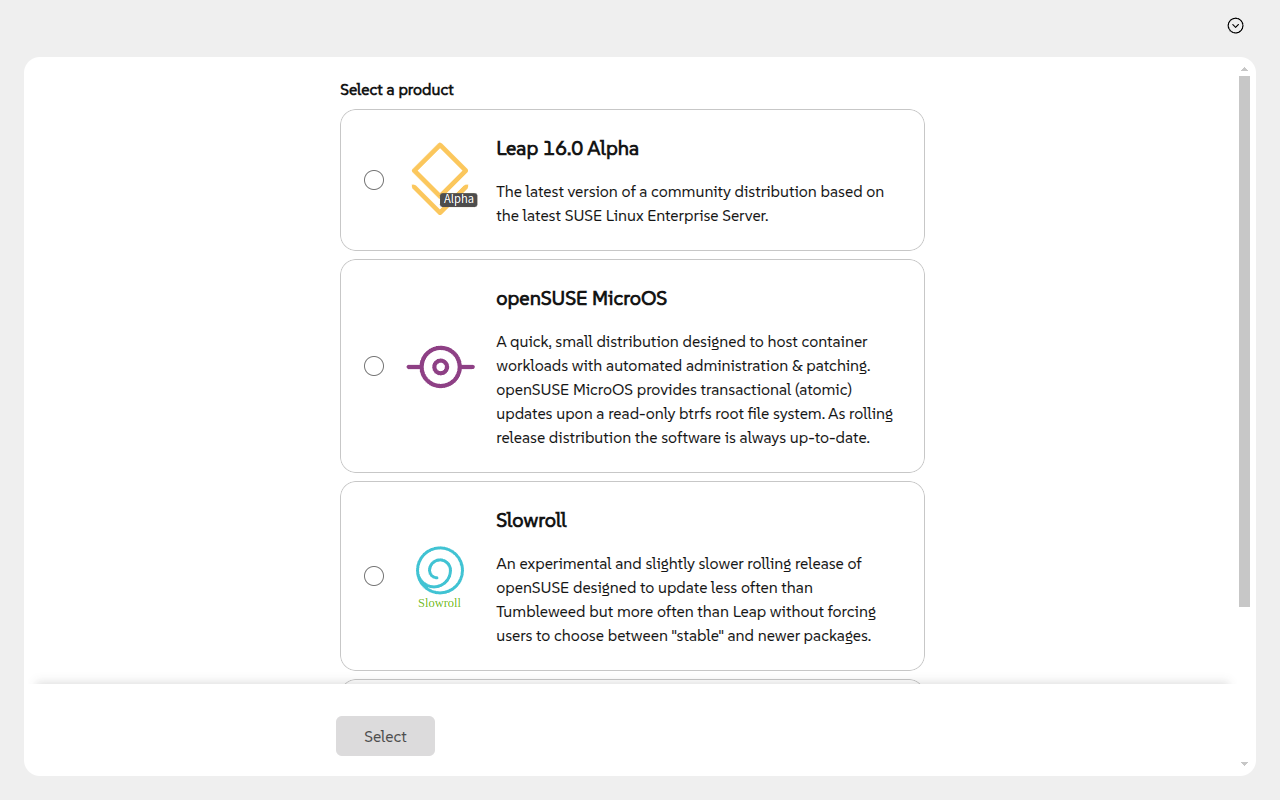
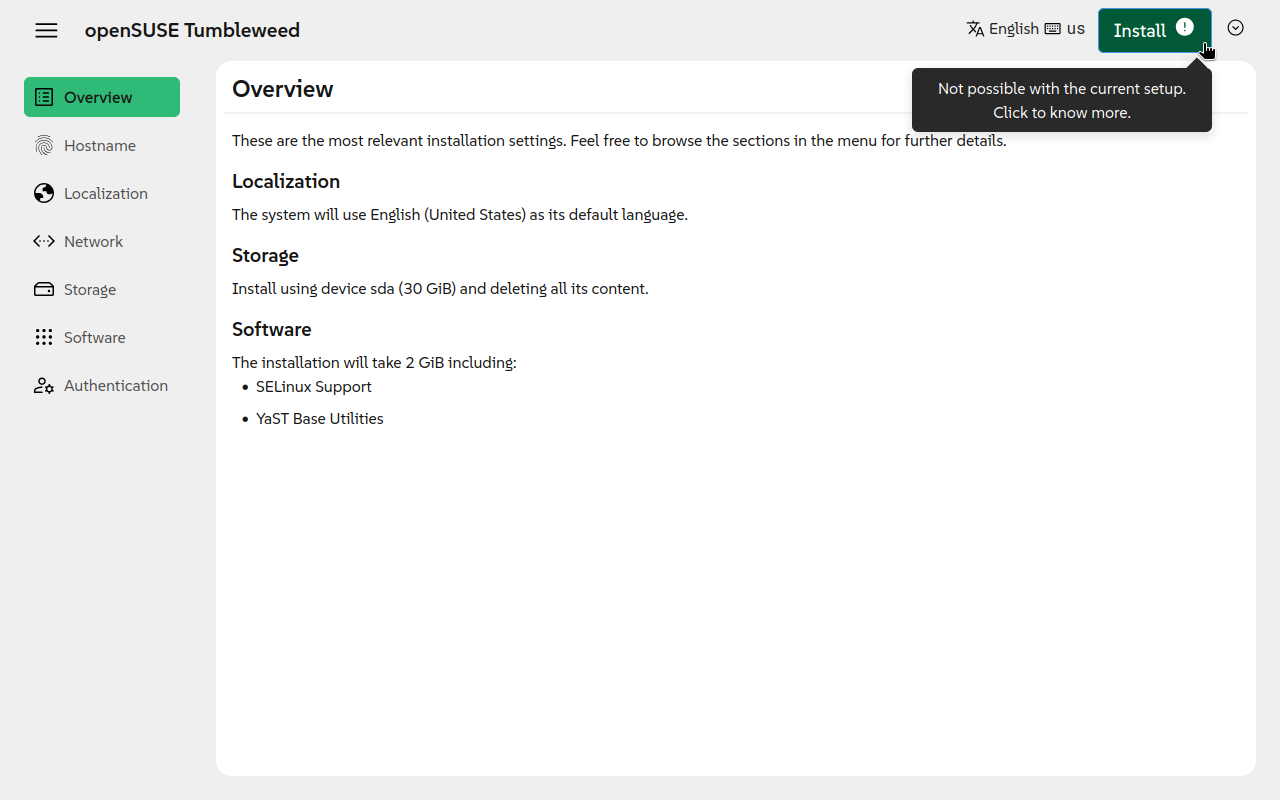
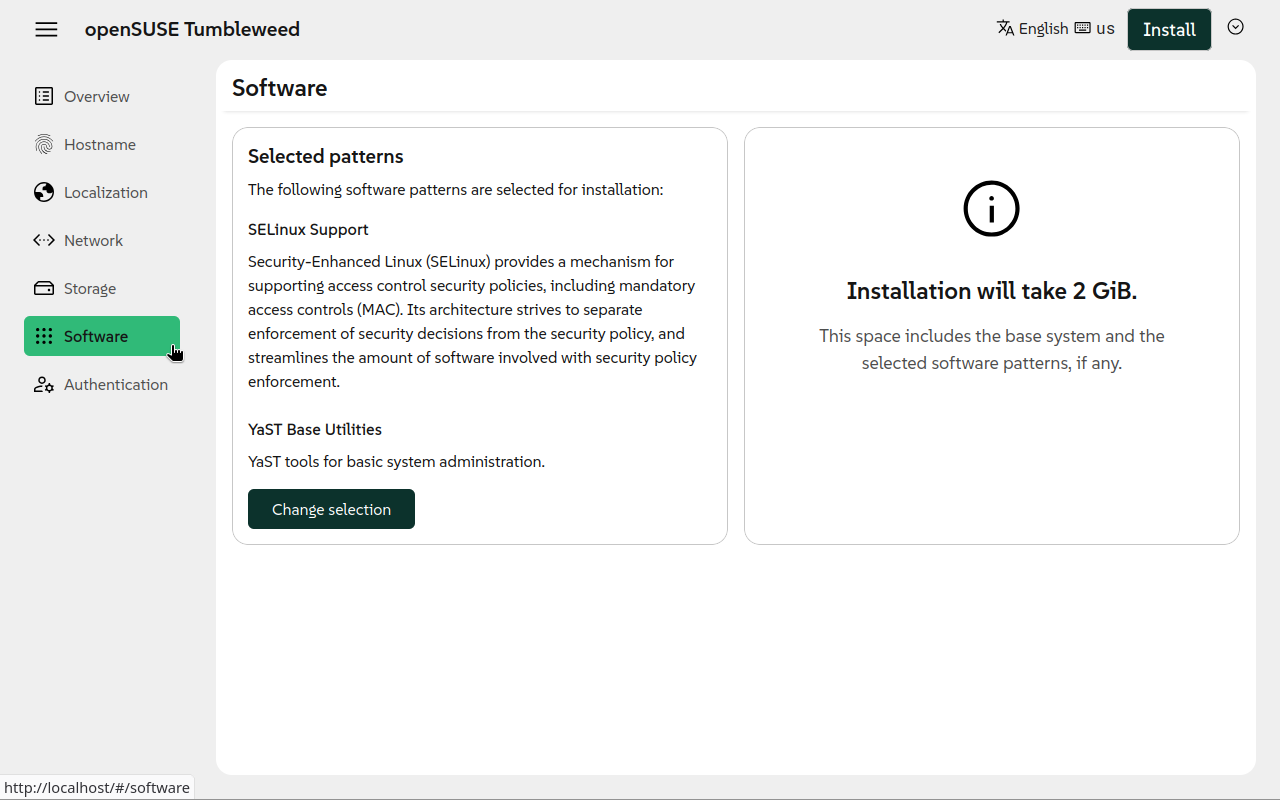
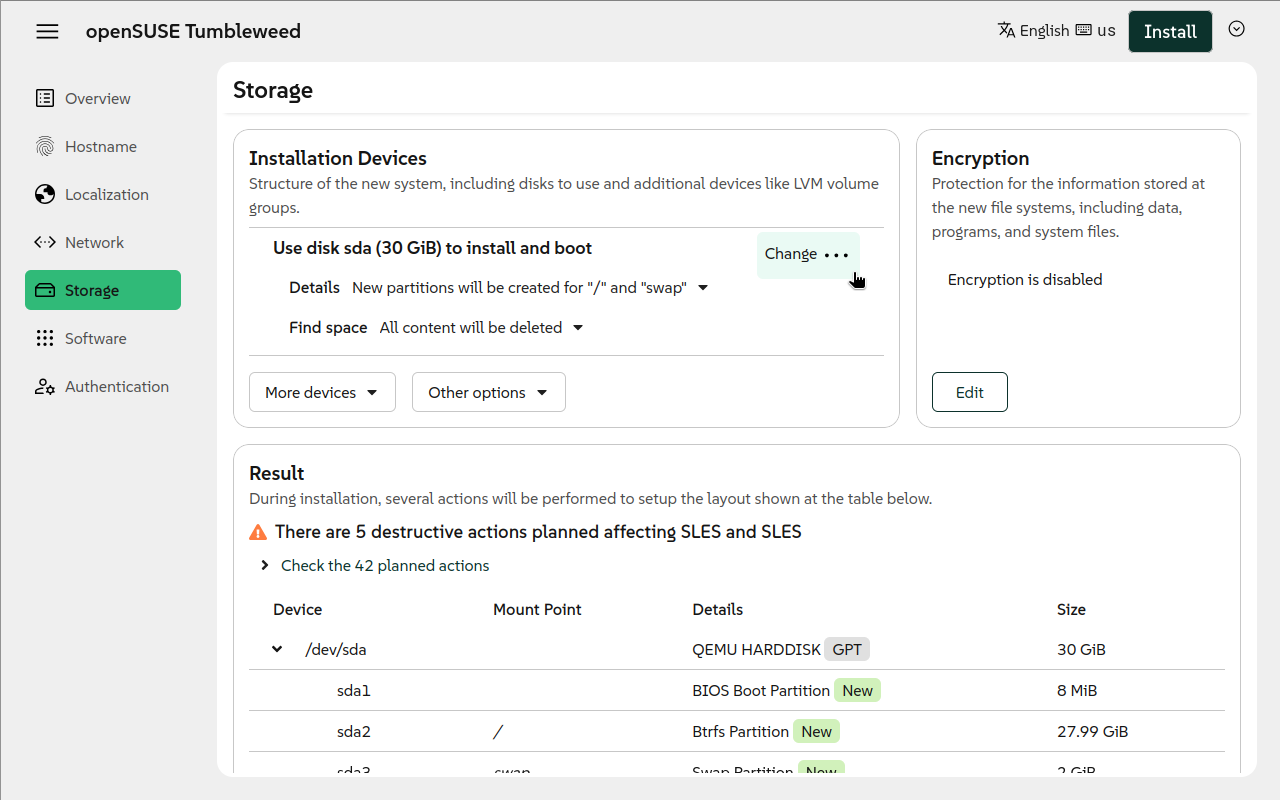
Agama is a new Linux installer born in the core of the YaST team. It is designed to offer
|
|
re-usability, integration with third party tools and the possibility of building advanced user
|
|
interfaces over it.
|
|
|
|
|  |  |
|
|
| --- | --- |
|
|
|
|
<details>
|
|
<summary>Click to show/hide more screenshots</summary>
|
|
|
|
---
|
|
|
|
|  |  |
|
|
| --- | --- |
|
|
|  |  |
|
|
<!-- TODO: move these ^^^ screenshots to the web repository as well -->
|
|
|
|
</details>
|
|
|
|
## Why a New Installer
|
|
|
|
This new project follows two main motivations: to overcome some of the limitations of YaST and to
|
|
serve as installer for new projects, like those based on SUSE Linux Framework One.
|
|
|
|
YaST is a mature installer and control center for SUSE and openSUSE operating systems. With more
|
|
than 20 years behind it, YaST is a competent and flexible installer able to cover uncountable use
|
|
cases. But time goes by, and the good old YaST is starting to show its age in some aspects:
|
|
|
|
- The architecture of YaST is complex and its code-base has too much technical debt.
|
|
- Designing and building rich and modern user interfaces is a real challenge.
|
|
- Sharing logic with other tools like Salt or Ansible is very difficult.
|
|
- Some in-house solutions like [libyui](https://github.com/libyui/libyui) make more difficult to
|
|
contribute to the project.
|
|
|
|
## Running Agama
|
|
|
|
The easiest way to give Agama a try is to grab a live ISO image and boot it in a virtual machine.
|
|
This is also the recommended way if you only want to play and see it in action. If you want to have
|
|
a closer look, then clone and configure the project as explained in the next section.
|
|
|
|
You can download the ISO from the
|
|
[openSUSE Build Service](https://download.opensuse.org/repositories/systemsmanagement:/Agama:/Devel/images/iso/).
|
|
|
|
> [!NOTE]
|
|
> Make sure to download the correct ISO file according to your system architecture (eg. you would
|
|
> need to choose a file including `x86_64` if you use an Intel or AMD 64-bit processor).
|
|
|
|
## Remote access
|
|
|
|
The Live ISO automatically starts a graphical interface (using the local browser). However, you
|
|
might want to access remotely to the installer. If you know the IP address of the system, you just
|
|
need to point your browser to `https://$IP`.
|
|
|
|
For the case you do not know the address, or just for convenience, the Live ISO is configured to use
|
|
[Multicast DNS](https://en.wikipedia.org/wiki/Multicast_DNS) (sometimes called mDNS, Avahi,
|
|
Zeroconf, Bonjour) for hostname resolution. Therefore, connecting to `https://agama.local` should do
|
|
the trick.
|
|
|
|
> [!WARNING]
|
|
> Do not use the `.local` hostnames in untrusted networks (like public WiFi networks, shared
|
|
> networks), it is a security risk. An attacker can easily send malicious responses for the `.local`
|
|
> hostname resolutions and point you to a wrong Agama instance which could for example steal your
|
|
> root password!
|
|
|
|
If you have troubles or you want to know more about this feature, check our [Remote
|
|
access](https://agama-project.github.io/docs/user/guides/remote) documentation.
|
|
|
|
## Other Resources
|
|
|
|
- If you want to know how Agama works, you should read about
|
|
[Agama's architecture](https://agama-project.github.io/docs/devel/architecture)
|
|
- If you would like to [contribute](#how-to-contribute), you might be interested in:
|
|
- [Running Agama from sources](https://agama-project.github.io/docs/devel/running).
|
|
- [Working with Agama's web server](./rust/WEB-SERVER.md).
|
|
- [Working with Agama's web UI](./web/README.md).
|
|
- You can check the overall status of the project through the [status page](/STATUS.md).
|
|
|
|
## How to Contribute
|
|
|
|
If you want to contribute to Agama, then please open a pull request or report an issue. You can also
|
|
get involved in [our discussions](https://github.com/openSUSE/agama/discussions).
|
|
|
|
For more details, please read the [contributing](CONTRIBUTING.md) guidelines.
|
|
|
|
### Translators
|
|
|
|
Thank you for translating Agama to your language!
|
|
|
|
If something is broken about the translations, see the detailed
|
|
[Agama i18n workflow and internals][i18n] documentation.
|
|
|
|
See also the [openSUSE Translation][trans-ml] mailing list and its archives.
|
|
|
|
[i18n]: https://agama-project.github.io/docs/devel/i18n
|
|
[trans-ml]: https://lists.opensuse.org/manage/lists/translation.lists.opensuse.org/
|