- TypeScript 68%
- Go 27.3%
- CSS 2.3%
- Python 1.8%
- Java 0.4%
- Other 0.2%
| .github | ||
| assets | ||
| build | ||
| frontend | ||
| screenshot | ||
| scripts | ||
| .gitignore | ||
| app.go | ||
| backend_appinspect.go | ||
| backend_backup.go | ||
| backend_cert.go | ||
| backend_logcat.go | ||
| backend_props.go | ||
| device_service.go | ||
| dialog_service.go | ||
| executor.go | ||
| file_service.go | ||
| go.mod | ||
| go.sum | ||
| LICENSE | ||
| main.go | ||
| nfpm.yaml | ||
| package_service.go | ||
| README.md | ||
| sysproc_darwin.go | ||
| sysproc_linux.go | ||
| sysproc_windows.go | ||
| wails.json | ||
| wireless_service.go | ||
| zip_service.go | ||


ATK — Android Toolkit
The all-in-one, OEM-style Android command centre — with a state-of-the-art real-time debugging engine.


-8BE9FD?style=for-the-badge&color=8BE9FD&logoColor=282A36)

What is ATK?
All your phone, on your desktop. ATK (Android Toolkit) is an all-in-one, OEM-style ADB/fastboot command centre for power users, security researchers, and bug hunters — built with Go + React via Wails for Linux. Every tool an OEM service centre has, in one app — plus a state-of-the-art real-time debugging engine no other Android tool has.
Mirror and control your phone in a detachable window, browse files both ways with a built-in image viewer, root and flash Pixels end-to-end, audit APKs for trackers and secrets, debloat 5,000+ packages, fire off hundreds of one-click ADB commands, and watch the whole device's behaviour unfold in real time as a live system map — all from one clean, themeable UI.
🗺️ The Live System Map is a first of its kind — no Android tool has ever turned logcat into a live, interactive visualization of the entire system's behaviour. Jump to it ↓
Note
No bundled binaries. ATK uses your system
adb,fastboot, andscrcpy(from PATH) — nothing mystery is shipped. Settings shows the path and SHA-256 of each so you can verify them yourself.
🙏 Built on the community
ATK wouldn't exist without the open-source community. It stands on the shoulders of these projects — built on, inspired by, or made possible by their work. Go star them:
- scrcpy (Genymobile) — the screen mirroring & control engine behind the Screen Mirror module.
- apkauditor (Sandeep Wawdane) — inspiration for the APK Audit feature (clean-room reimplementation; no code reused).
- Canta / Shizuku — approach reference for removing/disabling apps without root.
- Magisk (topjohnwu) — boot-image patching / root.
- Universal Android Debloater (0x192) — the original UAD project; the foundation of ATK's debloater. Licensed GPL-3.0.
- Universal Android Debloater Next Generation — the maintained UAD fork ATK's package database is sourced from.
- PixelFlasher (badabing2005) — Pixel flash-sequence reference.
- Wails — Go + Web application framework.
- Lucide — icon set.
- adb-gui-kit (Drenzzz) — early ADB GUI groundwork this project built on.
🗺️ See the Live System Map in action
Real-time demos of the map engine visualising live device telemetry:
▶️ Demo 1
https://github.com/user-attachments/assets/88ade32b-fc65-4165-a5a5-9419ca75eb7a
▶️ Demo 2
https://github.com/user-attachments/assets/dfb97bdf-0cdb-48d8-a11c-d80222887f1d
▶️ Demo 3
https://github.com/user-attachments/assets/090df134-2d79-4f7a-96ef-0a58e42f0ad5
▶️ Demo 4
https://github.com/user-attachments/assets/47a3590a-11f8-416f-b972-0e89d933419c
 |
 |
 |
 |
📸 More screenshots
Dashboard | File Explorer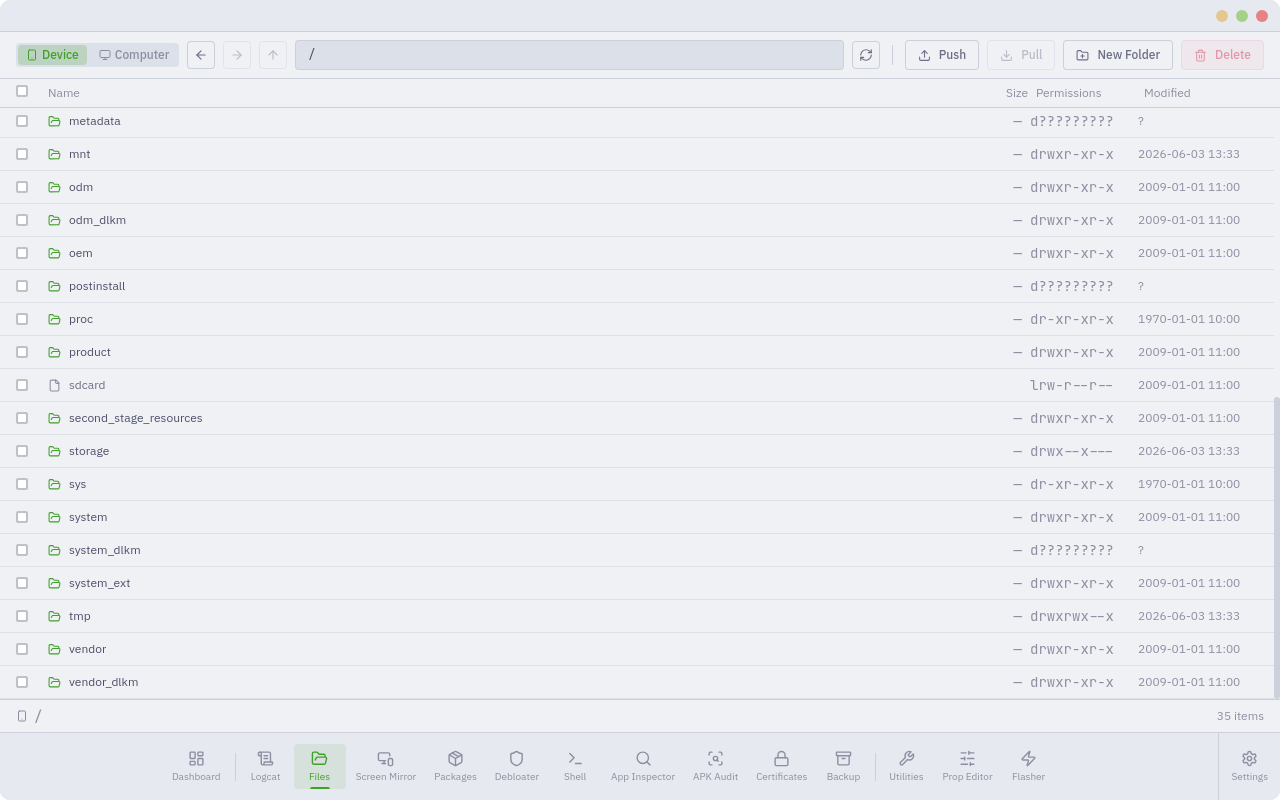 |
Package Manager | Debloater |
APK Audit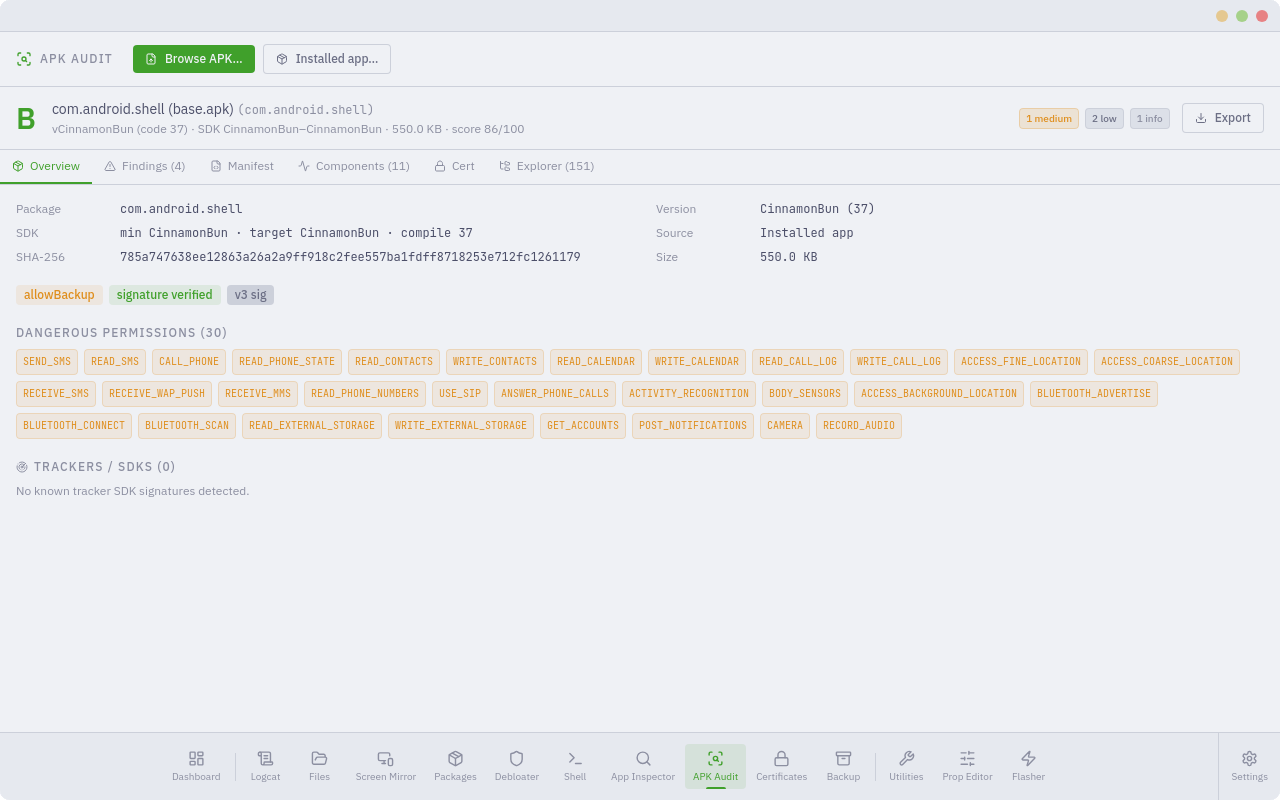 | App Inspector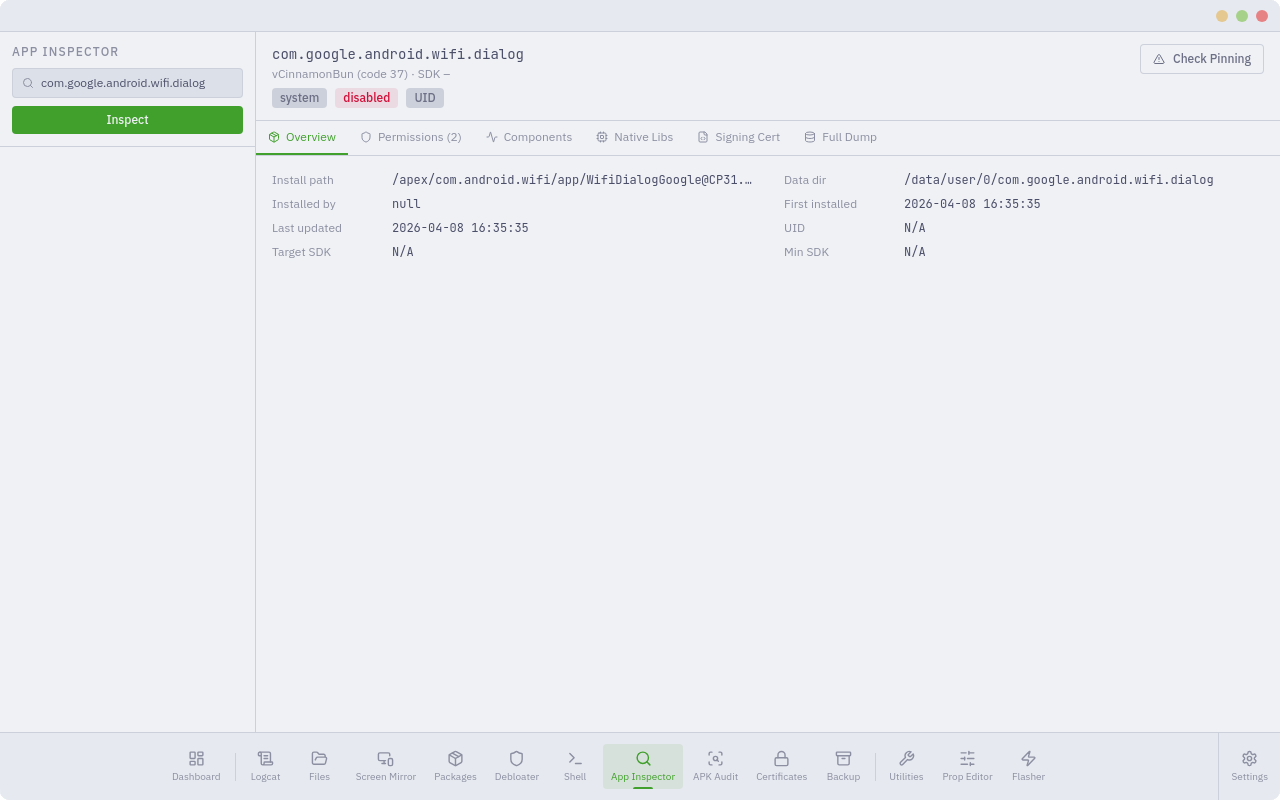 |
Certificate Manager | Device Backup |
Prop Editor | Shell Terminal |
Utilities | Flasher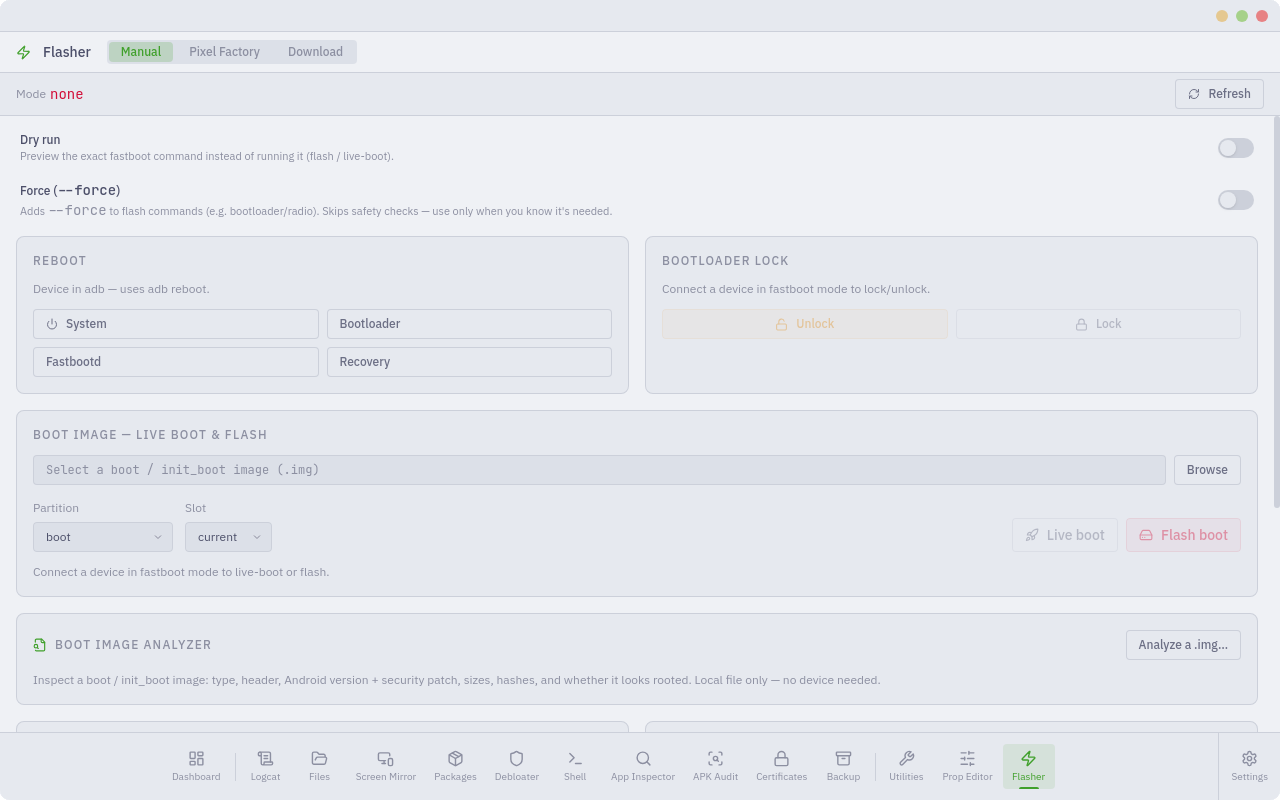 |
Screen Mirror prefs | Settings — Appearance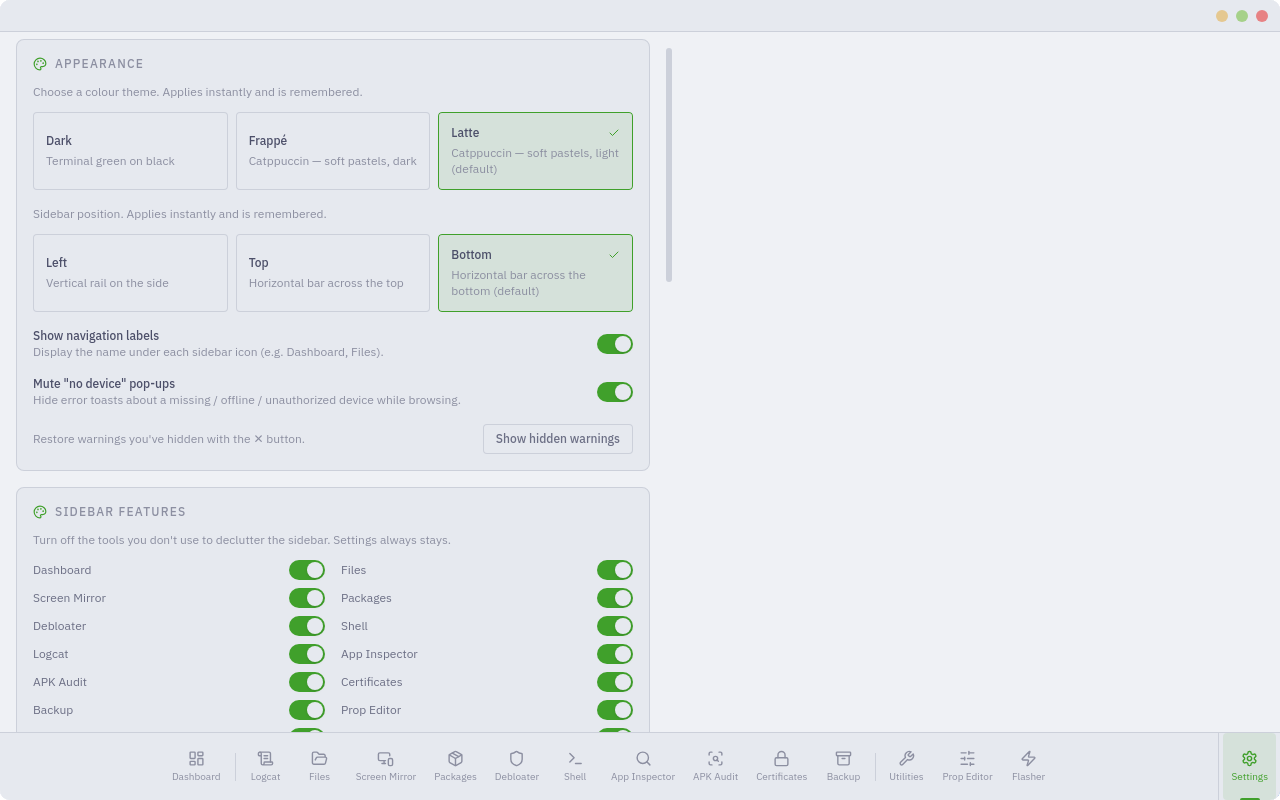 |
Settings — Features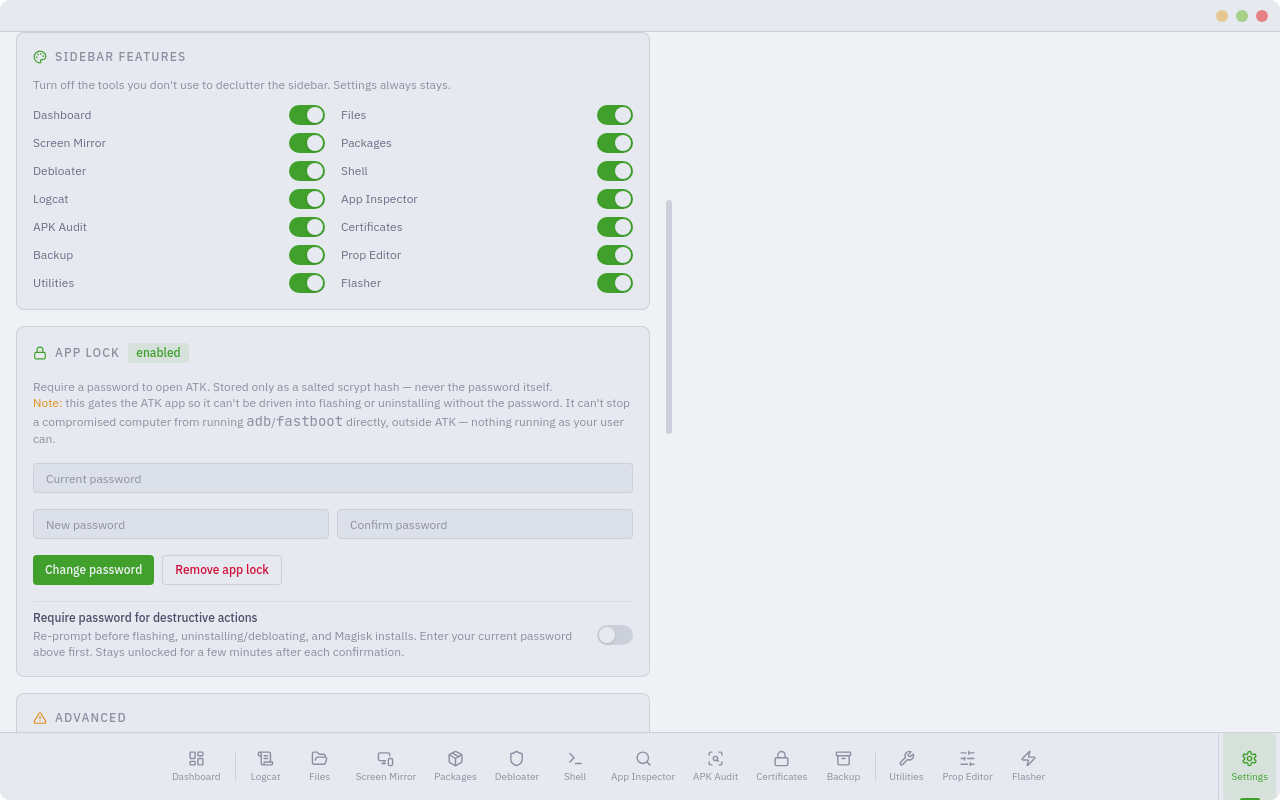 | Settings — Advanced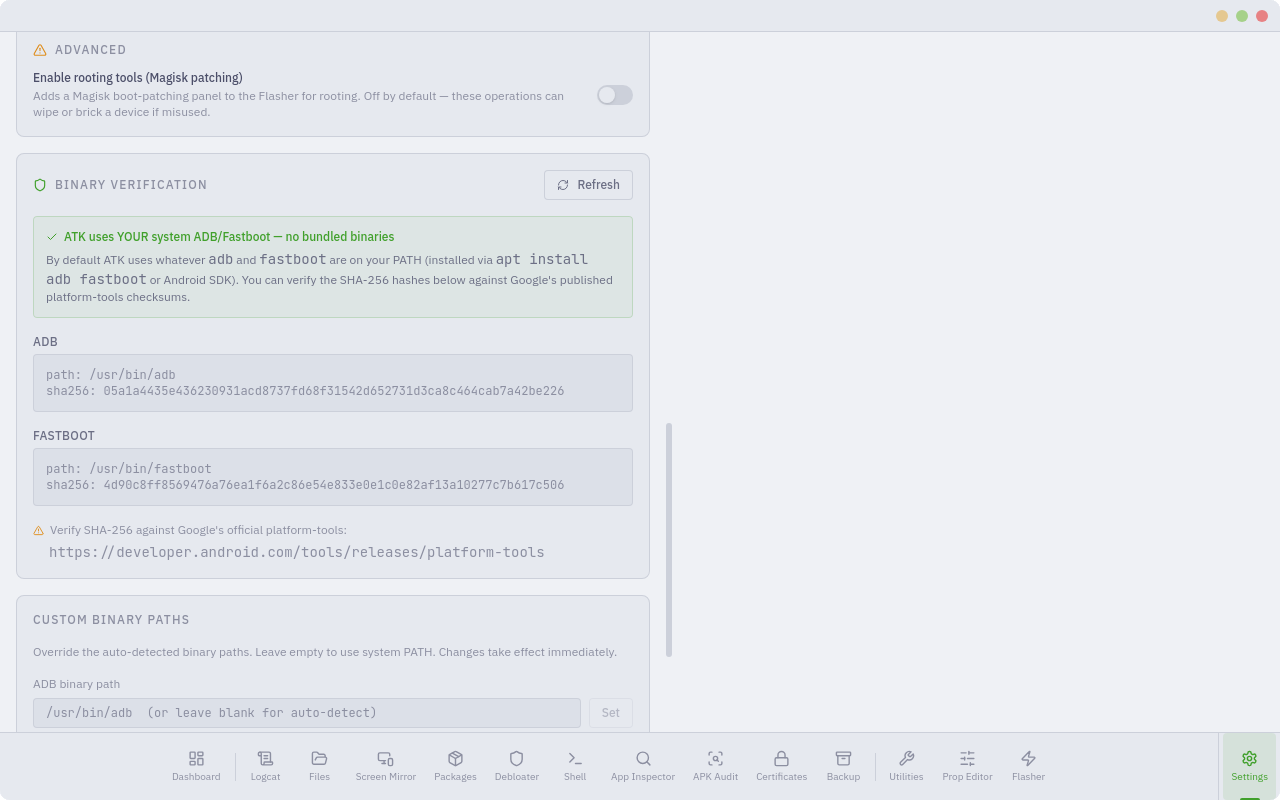 |
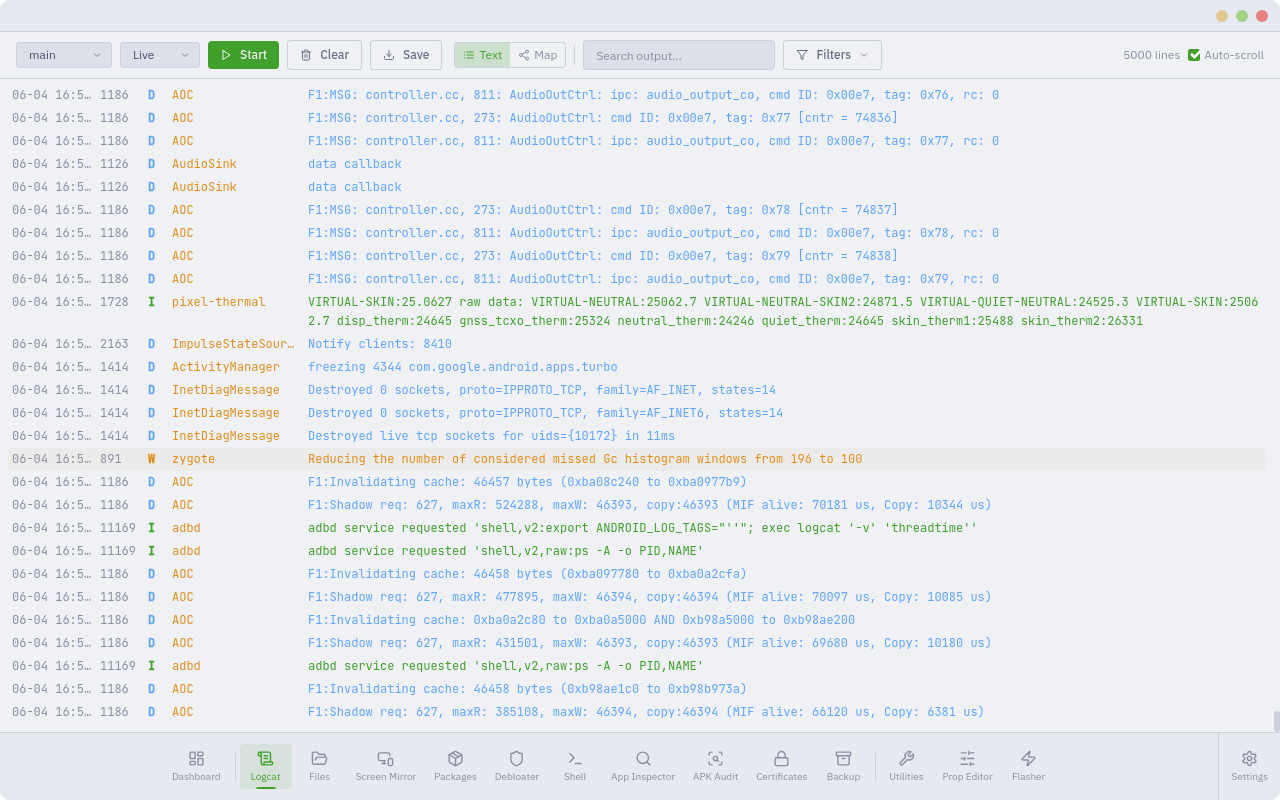
Password lock | Logcat (map mode) |
Download
| Distro | Format | Install |
|---|---|---|
| Debian / Ubuntu | .deb |
sudo dpkg -i ATK-*.deb |
Note
Linux only. ATK is built and tested on Debian/Ubuntu. Other distros can build from source (below).
Release checksums are published on the releases page — verify before installing.
Linux requirements
sudo apt install adb fastboot libwebkit2gtk-4.1-0
# optional — only needed for the Screen Mirror module:
sudo apt install scrcpy
Modules
| Module | What it does |
|---|---|
| 🖥️ Screen Mirror | Live mirror & full control via scrcpy — detachable, recordable |
| 📊 Dashboard | Device info, wireless ADB, reboot controls |
| 📁 File Explorer | Browse device and computer, push/pull, image viewer |
| 📦 Package Manager | Install, uninstall, enable, disable, pull APK — incl. privileged removal of protected system apps without root |
| 🔎 APK Audit | Static APK security audit: perms, trackers, certs, rule findings |
| 🧹 Debloater | 5,362 packages — Samsung, Xiaomi, Google + 11 more OEMs |
| 📡 Live Logcat + System Map | Real-time log streaming and a live, interactive visual map of system behaviour across every subsystem |
| 🕵️ App Inspector | Permissions, components, certs, SSL-pinning check |
| 🔐 Certificate Manager | Install/remove user CAs for HTTPS interception |
| 💾 Device Backup | adb backup with app selection and restore |
| 🎚️ Prop Editor | Read/write all 300+ system properties |
| 💻 Shell Terminal | adb shell/host, command library, export session |
| 🧰 Utilities | 631 one-click commands across 50+ categories |
| ⚡ Flasher | Fastboot, live-boot, Magisk root, firmware download |
Tip
Hide any module you don't use from Settings → Sidebar Features. Theme (Dark / Catppuccin Frappé / Latte) and sidebar position (left / top / bottom) are configurable too.
✨ What's new
- 📡 Live System Map — the headline feature: turn logcat into a live, interactive map of system behaviour across every subsystem (see below).
- 🧹 Debloater database 2,157 → 5,362 packages, and a privileged uninstall of protected system apps without root (plus a one-click restore).
- 🧰 Utilities expanded to 631 one-click commands across 50+ categories.
- 🎨 Themes — Dark, Catppuccin Frappé & Latte; dismissible safety banners.
- 🔎 APK Audit export to JSON · CSV · SARIF, with an in-app APK explorer.
- 📦 Smarter package ops — combined Disable + Uninstall, a disabled badge, and verify-then-escalate so removals actually stick.
- 🔌 Fully offline-capable UI — fonts are self-hosted, no runtime CDN fetches.
🖥️ Screen Mirror
See your phone on your computer and drive it with mouse + keyboard. ATK is the control panel; the mirror opens in its own window you can move, resize, and snap anywhere — powered by scrcpy (your system install, nothing bundled).
- 🕹️ Full control — tap, swipe, type, long-press; complete input from your desktop
- 🪟 Detachable — separate window; optionally keep it alive after ATK closes
- 📷 Capture — one-click screenshot (PNG) and full-session screen recording
- 🎛️ Tunable — max resolution, bitrate, FPS, stay-awake, turn-screen-off, show-touches, always-on-top, fullscreen, borderless
- ⌨️ Shortcut cheat-sheet — Home / Back / recents, copy↔paste, rotate, and more, built right in
Note
Single-instance by design — Start always yields exactly one window, and ATK tidies up the mirror on exit (unless you asked it to stay).
📁 File Explorer
A real file manager for the device and your computer.
- 🔀 Two sources — toggle between the phone (adb) and your local filesystem
- ⏱️ Push / pull — transfers with a live progress bar + ETA, cancellable
- 🎯 Push by browsing — pick files on your PC, then browse the phone to the destination folder and Push here — no typing paths
- 🖱️ Right-click — Open, Pull to folder, Rename, Move, Copy path, Delete
- 🖼️ Image viewer — full-screen, with ← / → to flip through a folder (device or local)
- 🧭 Navigation — Back / Forward / Up history and an editable path bar
📡 Live System Map — First of its Kind
A first of its kind for Android. No tool has ever turned logcat into a live, interactive picture of the entire system's behaviour. This is state-of-the-art real-time debugging — never seen or done before for an Android tool.
Turn the raw logcat firehose into a live, interactive map of what your phone is actually doing. At its core is a unified real-time telemetry renderer that visualises system-level events across multiple subsystems simultaneously — or, put precisely: a real-time engine that unifies system-level telemetry from many subsystems into a single live relational model, rendered as an interactive multi-mode visualization.
Processes, services, tags and components become nodes; the relationships
mined from the stream — launches, crashes, ANRs, kills, signals, graphics/audio
events, and temporal co-occurrence — become edges; and every event becomes a
packet that flows from source to destination. The result is one coherent,
continuously updating picture of how system_server, SurfaceFlinger, the media
and telephony stacks, and your apps are interacting right now.
- 🌐 Multiple render modes — a crisp 2D graph, a neon flow view, and a 3D hierarchical tree
- 🧩 Many layouts — force-directed, hub boxes, radial-by-importance, and geometric arrangements
- 🌊 Trackable flows — follow individual events travelling between subsystems, source → destination
- 🚨 Surfacing — crashes / ANRs / errors auto-alert and ping their node; add your own keyword watch-rules
- 🎯 Focus tools — isolate one node's traffic, build a watchlist, filter by severity or kind, scrub a timeline, diff against a baseline
- 🎥 Capture & export — record the packet stream and pull it out for offline analysis
- ⌨️ Built for flow — pause/resume, fullscreen, freeze, search-to-step, colour-coding, savable presets
It reads as a tidy node-link graph when you want to understand structure, and as rivers of flowing packets when you want to watch behaviour — pick the mode that fits the question.
⚡ Flasher
All flash tooling in one place across three tabs, with a live device-info bar (connection mode · slot · bootloader · lock state · root) up top.
| Tab | What it does |
|---|---|
| Manual | Reboot menu (system/bootloader/fastbootd/recovery), bootloader unlock/lock, flash any safe-listed partition, getvar, ADB sideload, live-boot an image or flash boot/init_boot to a chosen slot |
| Pixel Factory | Drag in (or browse to) a Google factory .zip — ATK reads flash-all.sh and runs the right sequence. Options: wipe/keep data, disable-verity & verification, both slots |
| Download | Fetch official Pixel factory or OTA images by device, straight from Google, with a progress bar and automatic SHA-256 verification |
Important
Rooting (optional) — enable in
Settings → Advanced. ATK can download & install Magisk for you, extract boot/init_boot from a factory zip, push it for the Magisk app to patch, pull the patched image back, then live-boot (temporary root) or flash it (permanent). Requires an unlocked bootloader. Flashing can wipe or brick a device — proceed carefully.
Browse factory images: https://developers.google.com/android/images
🔎 APK Audit
Static security audit of any APK — a browsed file or an app pulled off the device. Hybrid engine: Android SDK tools when present, pure-Go fallback otherwise, so it works with zero extra dependencies.
- Score + grade with a severity breakdown
- Dangerous permissions highlighted
- Tracker / ad-SDK detection
- Rule findings tagged with CWE / MASVS
- Decoded manifest + exported components
- Signing certificate — identity, scheme (v1/v2/v3), SHA-256 / SHA-1
- Explorer — browse the APK, view text / images / hex
- Export to JSON · CSV · SARIF
🧹 Debloater
Package database sourced from Universal Android Debloater (UAD-ng): 5,362 packages across 14 manufacturers, each with a safety rating. Beyond enable/disable, ATK can perform a privileged uninstall of protected system apps without root — and restore them later — using a Canta/Shizuku-style technique over ADB.
| Rating | Meaning |
|---|---|
| 🟢 Safe | Generally safe to remove |
| 🟡 Caution | Disable rather than uninstall; may affect device behaviour |
| 🔴 Keep | Do not remove; will break core system functionality |
Coverage: Samsung · Xiaomi · OnePlus/Oppo · Huawei · Sony · Motorola · LG · Nokia/HMD · Asus · Realme · Google · Carriers · AOSP · Misc
🔒 Security
Note
- No bundled binaries —
adb,fastboot,scrcpyare resolved from your PATH; Settings shows each binary's path + SHA-256 to verify against Google's published checksums.- No host shell string-building — host commands use
exec.Command(binary, args…)(directexecve, no shell). Paths sent to the device shell are explicitly quoted, so filenames with spaces/special characters are safe.- Input validation — package names, partitions, IPs, and remote paths are validated; fastboot flash uses a partition allowlist; destructive flash and bootloader actions confirm first.
Build from Source
Prerequisites — Ubuntu/Debian
sudo apt install -y build-essential pkg-config libgtk-3-dev \
  libwebkit2gtk-4.1-dev libayatana-appindicator3-dev adb fastboot

# Go 1.23
wget https://go.dev/dl/go1.23.0.linux-amd64.tar.gz
sudo rm -rf /usr/local/go
sudo tar -C /usr/local -xzf go1.23.0.linux-amd64.tar.gz
echo 'export PATH=$PATH:/usr/local/go/bin:$HOME/go/bin' >> ~/.bashrc
source ~/.bashrc

# Node + pnpm + Wails
curl -fsSL https://deb.nodesource.com/setup_20.x | sudo -E bash -
sudo apt install -y nodejs
sudo npm install -g pnpm
go install github.com/wailsapp/wails/v2/cmd/wails@latest
Build & run
git clone https://github.com/jegly/ATK
cd ATK
go mod tidy
cd frontend && pnpm install && cd ..
wails build -tags webkit2_41
./build/bin/ATK
Dev mode (hot reload) — wails dev -tags webkit2_41
Package as .deb
go install github.com/goreleaser/nfpm/v2/cmd/nfpm@latest
wails build -tags webkit2_41
nfpm pkg --packager deb --target build/
sudo dpkg -i build/atk_*.deb
Other distros
Build from source as above (wails build -tags webkit2_41) and run
./build/bin/ATK directly — you just need adb, fastboot, GTK 3 and
WebKit2GTK 4.1 present.
License
ATK is released under the GNU General Public License v3.0. The debloater
database derives from the Universal Android Debloater project (GPL-3.0),
originally created by 0x192
and continued by the Universal-Debloater-Alliance's
Next Generation
fork. See LICENSE for full terms and third-party attributions.
github.com/jegly/ATK