ATK · Android Toolkit
An all-in-one Android command centre with a real-time system-map debugging engine.



-8BE9FD?style=for-the-badge&color=8BE9FD&logoColor=282A36)

---
## What is ATK?
ATK (Android Toolkit) is an all-in-one ADB and fastboot command centre for power
users, security researchers, and bug hunters. It runs on Linux, built with Go
and React via Wails. You get the tools an OEM service centre has, plus a
real-time debugging engine built around a live system map.
Mirror and control your phone in a detachable window. Browse files on the device
and your computer with a built-in image viewer. Root and flash Pixels. Audit APKs
for trackers and secrets. Debloat over 5,000 packages. Run hundreds of one-click
ADB commands. And watch the device's behaviour in real time as a live system map.
One themeable UI covers all of it.
> 🗺️ The Live System Map turns logcat into a live, interactive view of the whole
> system's behaviour. No other Android tool does this. [Jump to it ↓](#-live-system-map)
> [!NOTE]
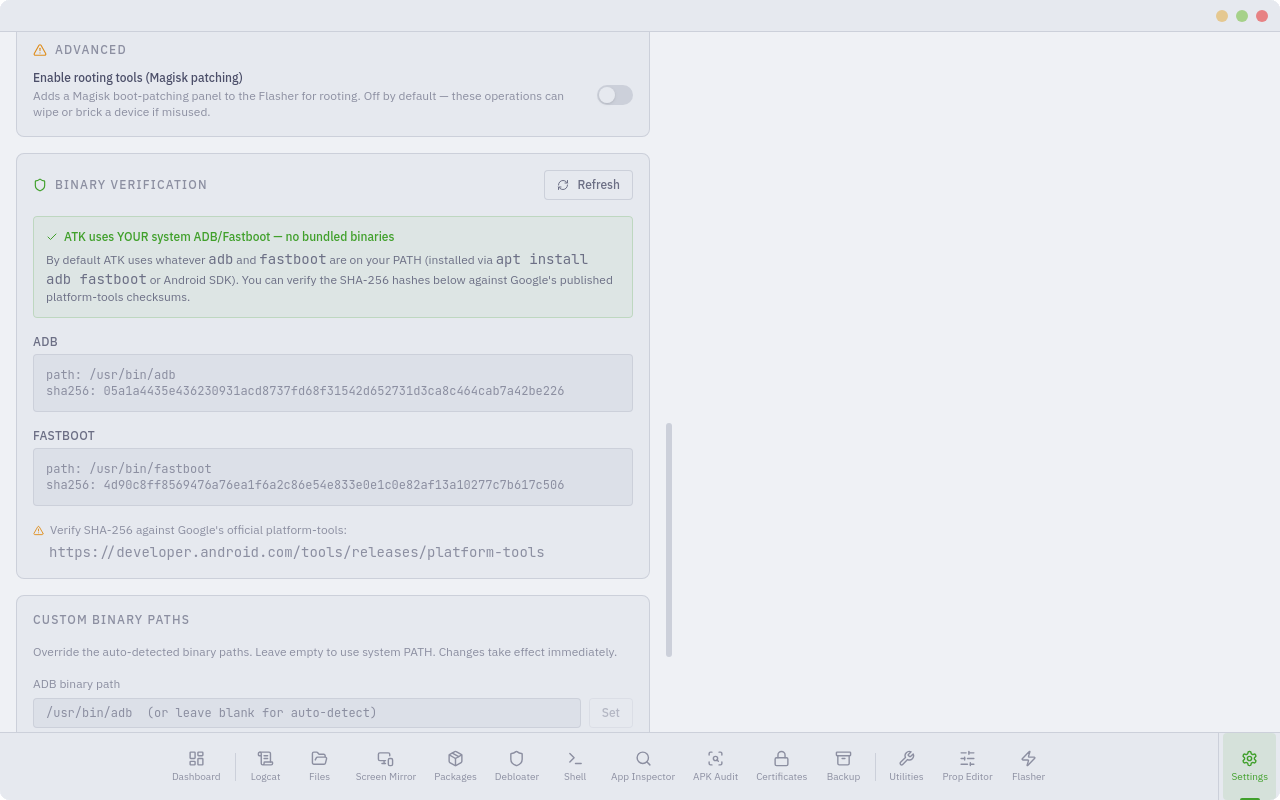
> ATK uses your system `adb`, `fastboot`, and `scrcpy` from PATH. Nothing is
> bundled. Settings shows the path and SHA-256 of each binary so you can verify
> them yourself.
---
## 🙏 Built on the community
ATK builds on these open-source projects. Go star them:
- **[scrcpy](https://github.com/Genymobile/scrcpy)** (Genymobile): screen mirroring and control behind the Screen Mirror module.
- **[apkauditor](https://apkauditor.com)** (Sandeep Wawdane): inspiration for the APK Audit feature. Clean-room reimplementation, no code reused.
- **[Canta](https://github.com/samolego/Canta) / [Shizuku](https://github.com/RikkaApps/Shizuku)**: reference for removing and disabling apps without root.
- **[Magisk](https://github.com/topjohnwu/Magisk)** (topjohnwu): boot-image patching and root.
- **[Universal Android Debloater](https://github.com/0x192/universal-android-debloater)** (0x192): the original UAD project and the foundation of ATK's debloater. GPL-3.0.
- **[Universal Android Debloater Next Generation](https://github.com/Universal-Debloater-Alliance/universal-android-debloater-next-generation)**: the maintained UAD fork ATK's package database comes from.
- **[PixelFlasher](https://github.com/badabing2005/PixelFlasher)** (badabing2005): Pixel flash-sequence reference.
- **[Wails](https://wails.io)**: Go and Web application framework.
- **[Lucide](https://lucide.dev)**: icon set.
- **[adb-gui-kit](https://github.com/Drenzzz/adb-gui-kit)** (Drenzzz): early ADB GUI groundwork this project started from.
### 🗺️ See the Live System Map in action
Real-time demos of the map engine showing live device telemetry:
**▶️ Demo 1**
https://github.com/user-attachments/assets/88ade32b-fc65-4165-a5a5-9419ca75eb7a
**▶️ Demo 2**
https://github.com/user-attachments/assets/dfb97bdf-0cdb-48d8-a11c-d80222887f1d
**▶️ Demo 3**
https://github.com/user-attachments/assets/090df134-2d79-4f7a-96ef-0a58e42f0ad5
**▶️ Demo 4**
https://github.com/user-attachments/assets/47a3590a-11f8-416f-b972-0e89d933419c
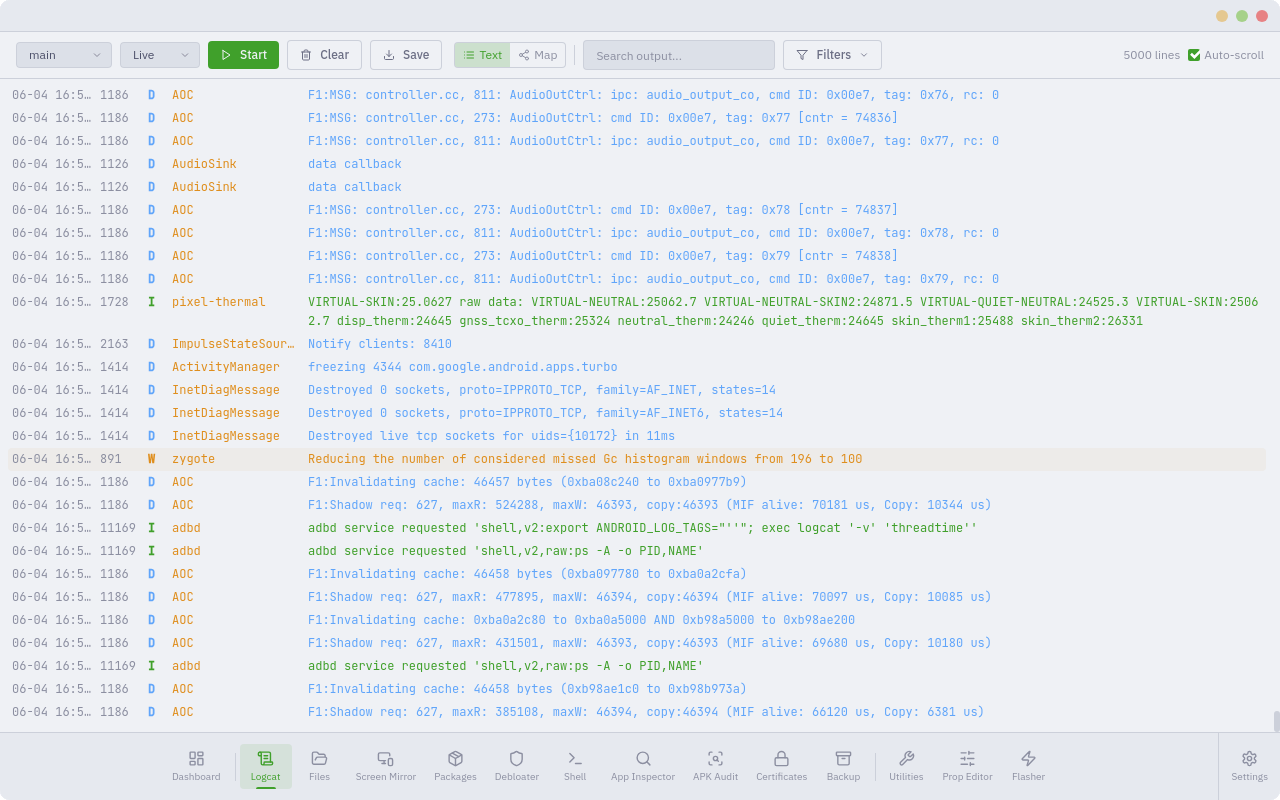
📸 More screenshots
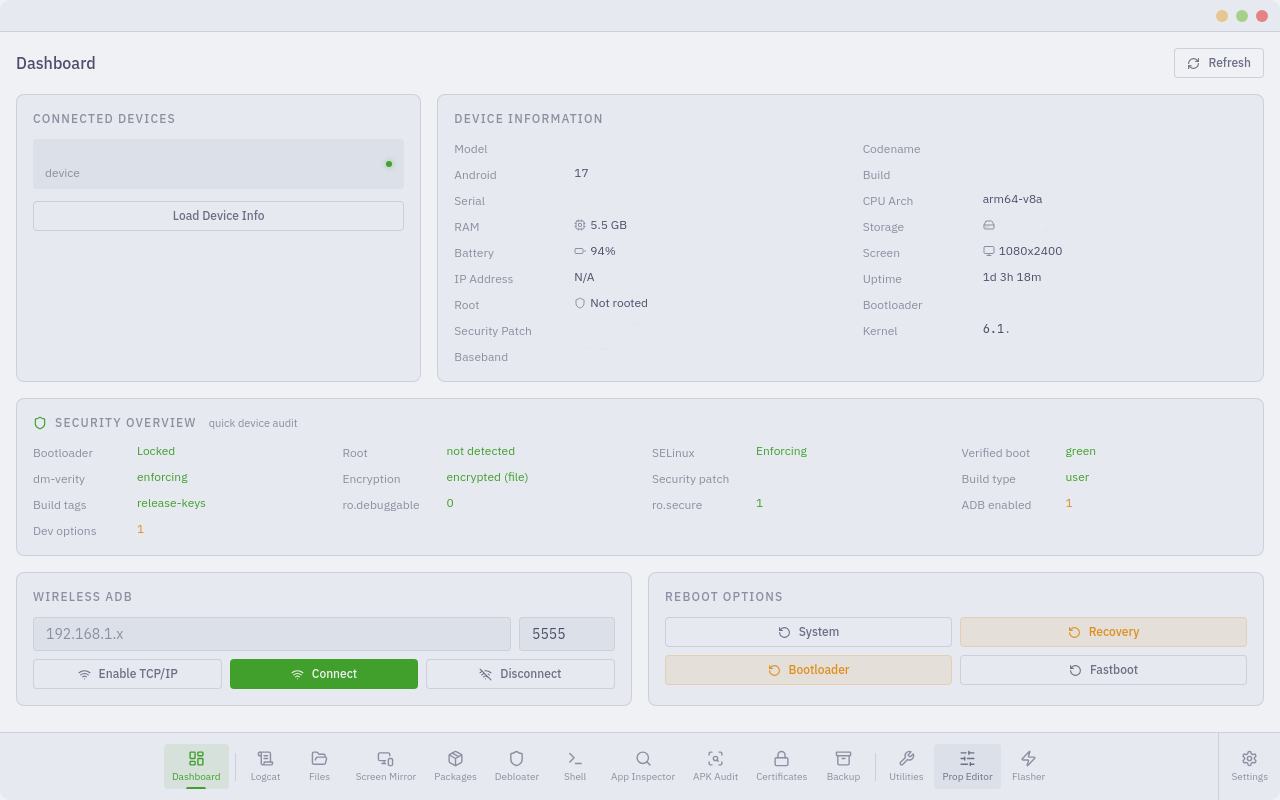
Dashboard
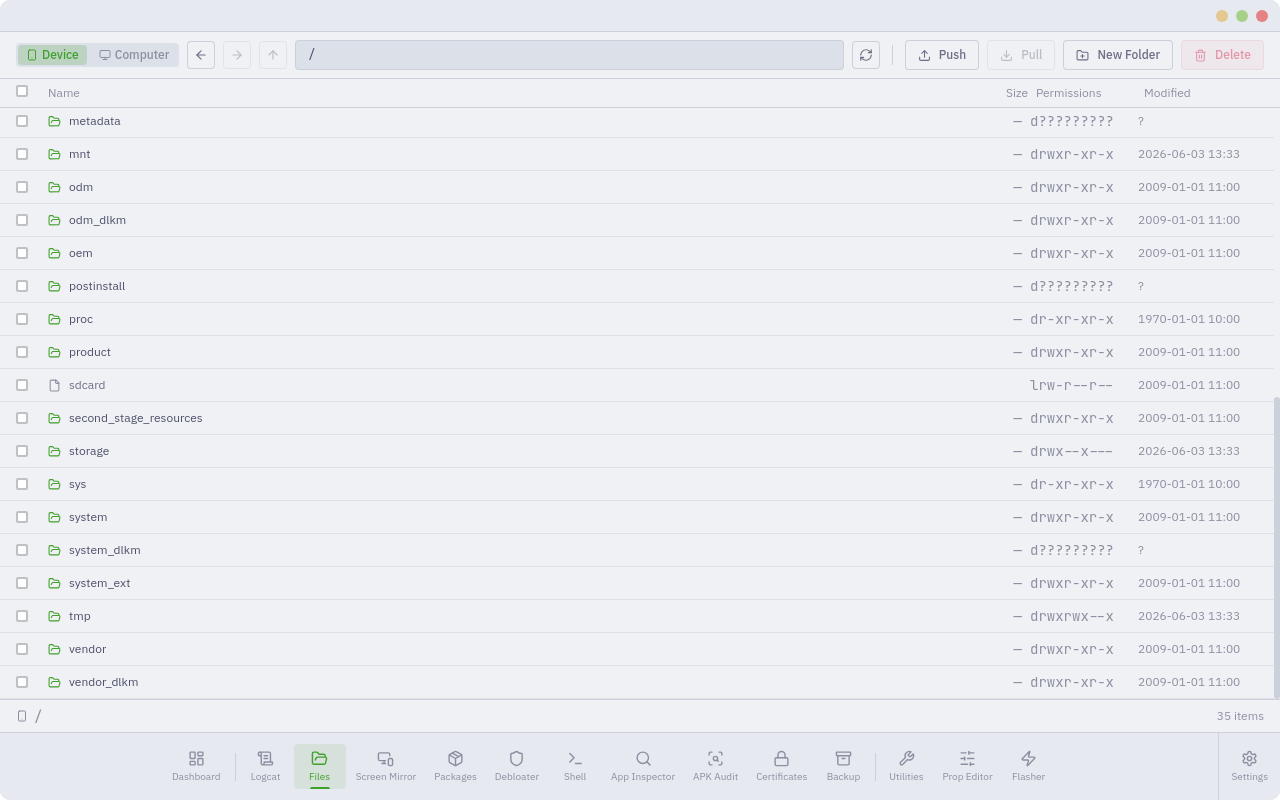
 | File Explorer
 |
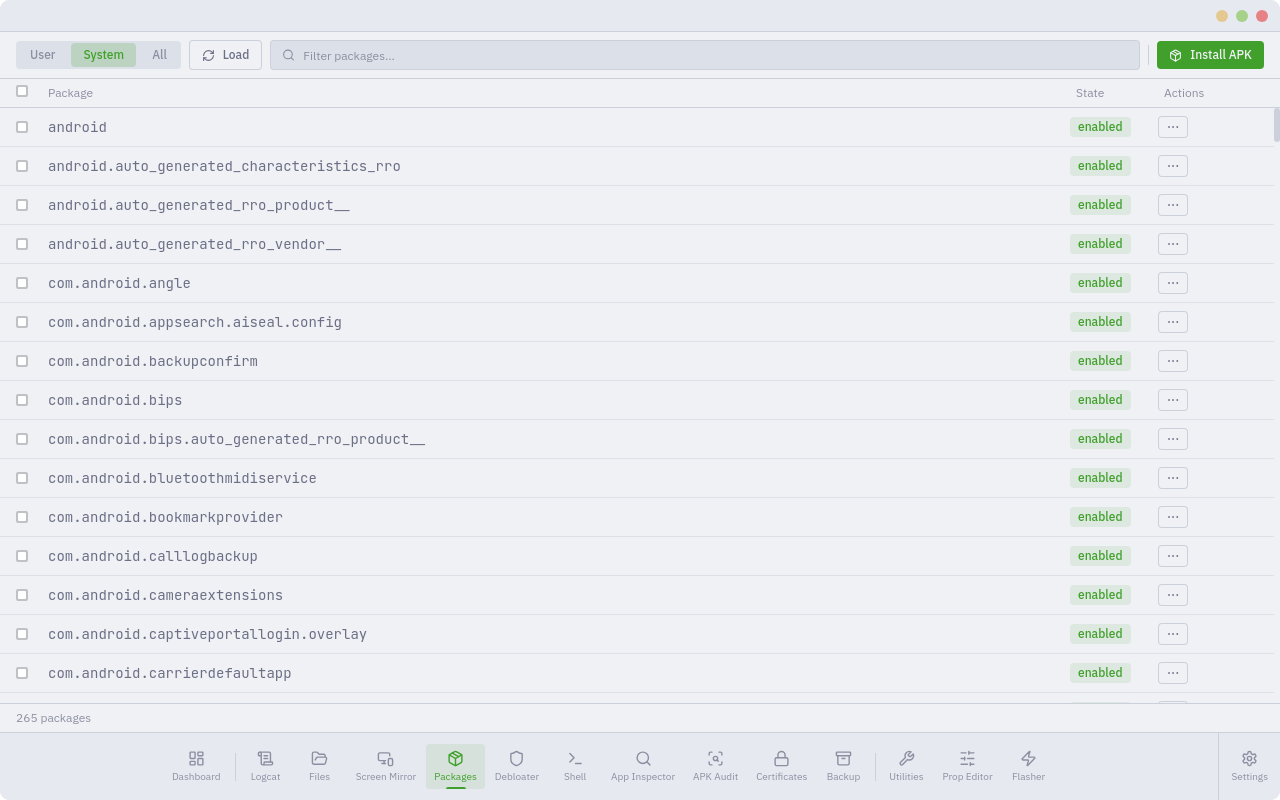
Package Manager
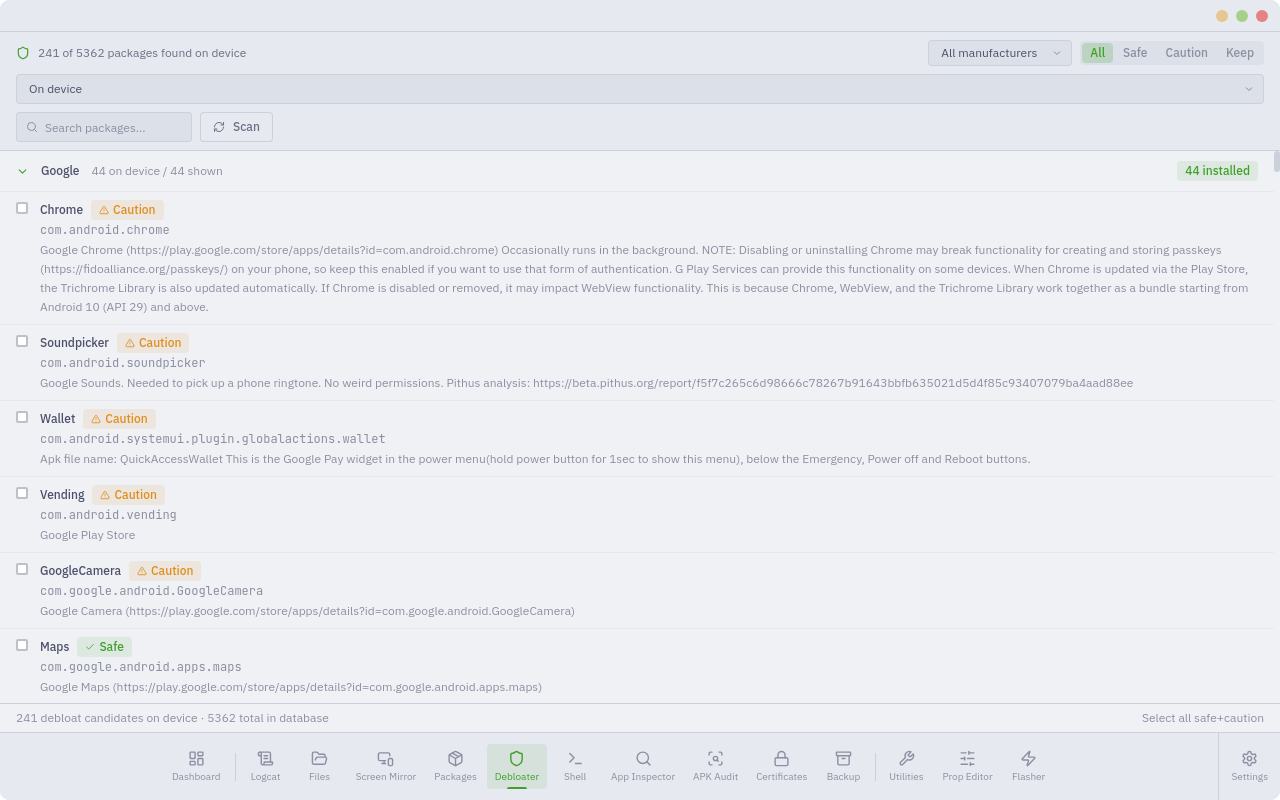
 | Debloater
 |
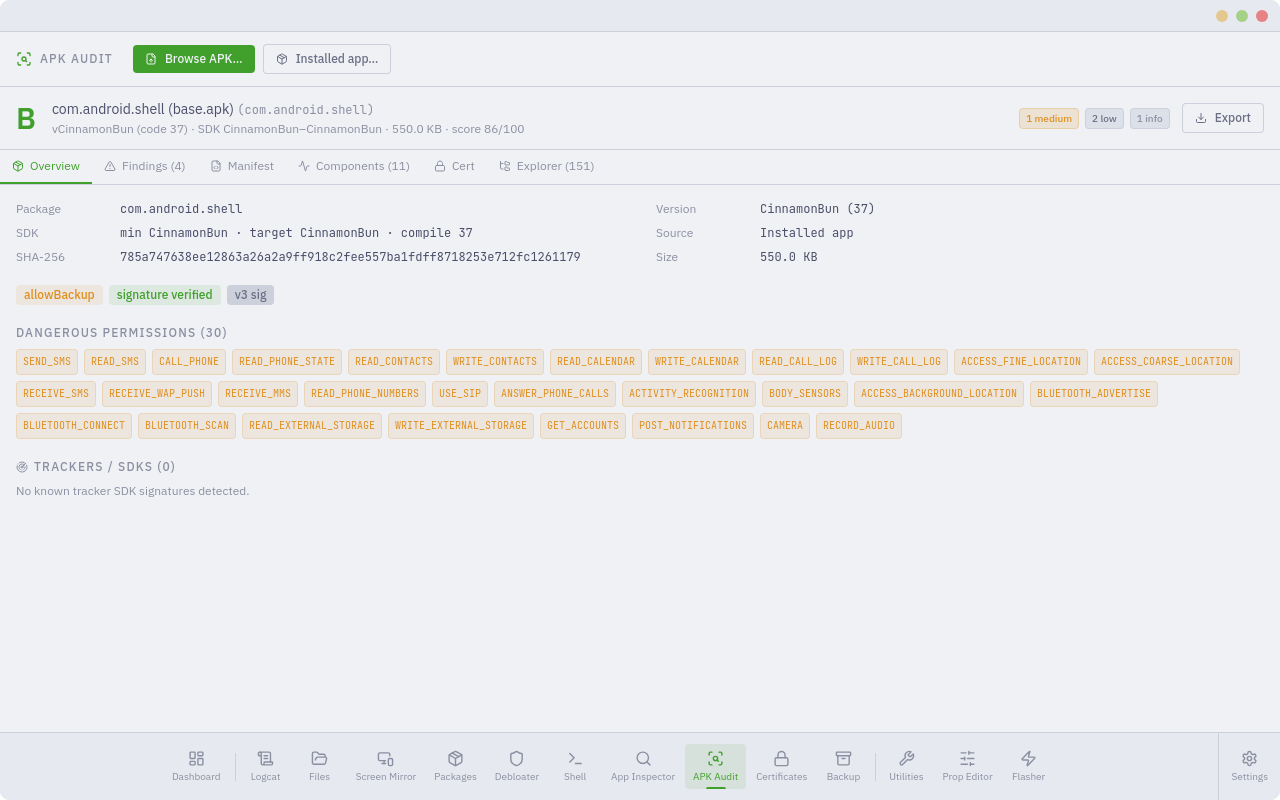
APK Audit
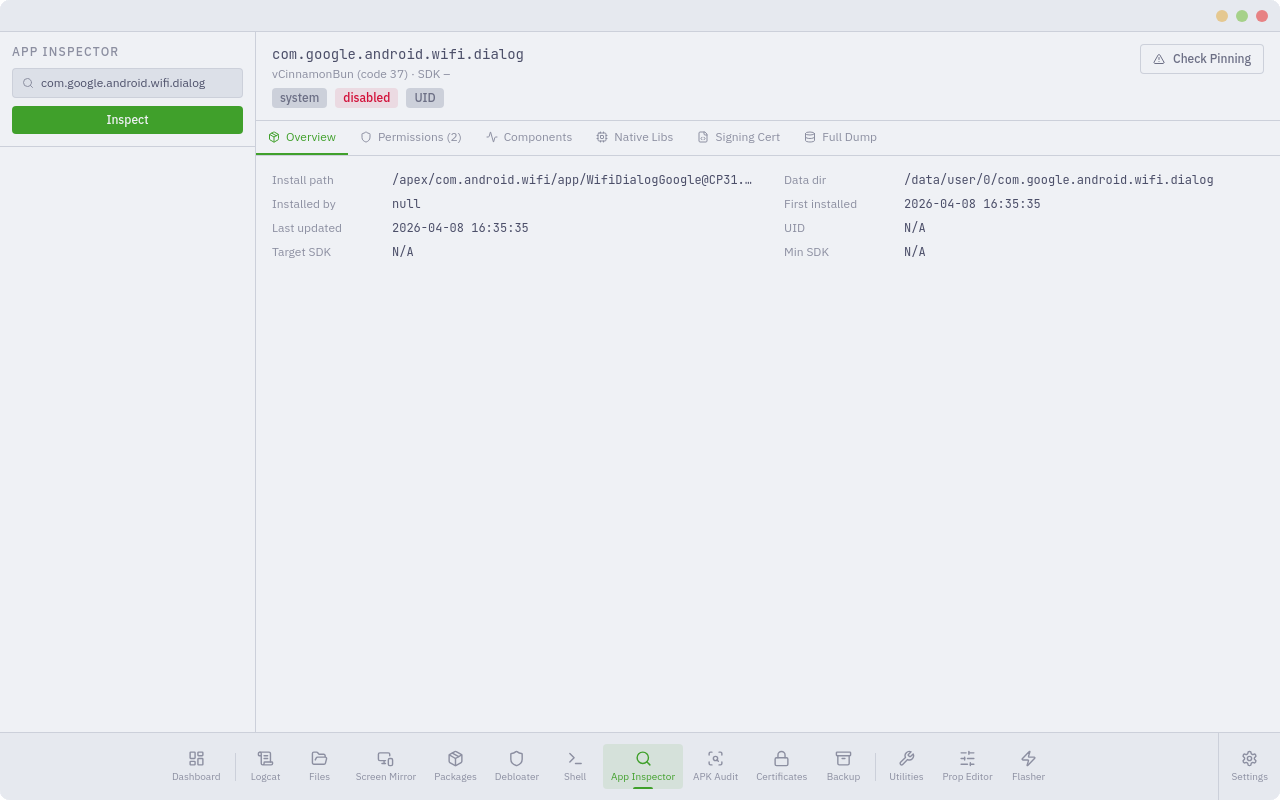
 | App Inspector
 |
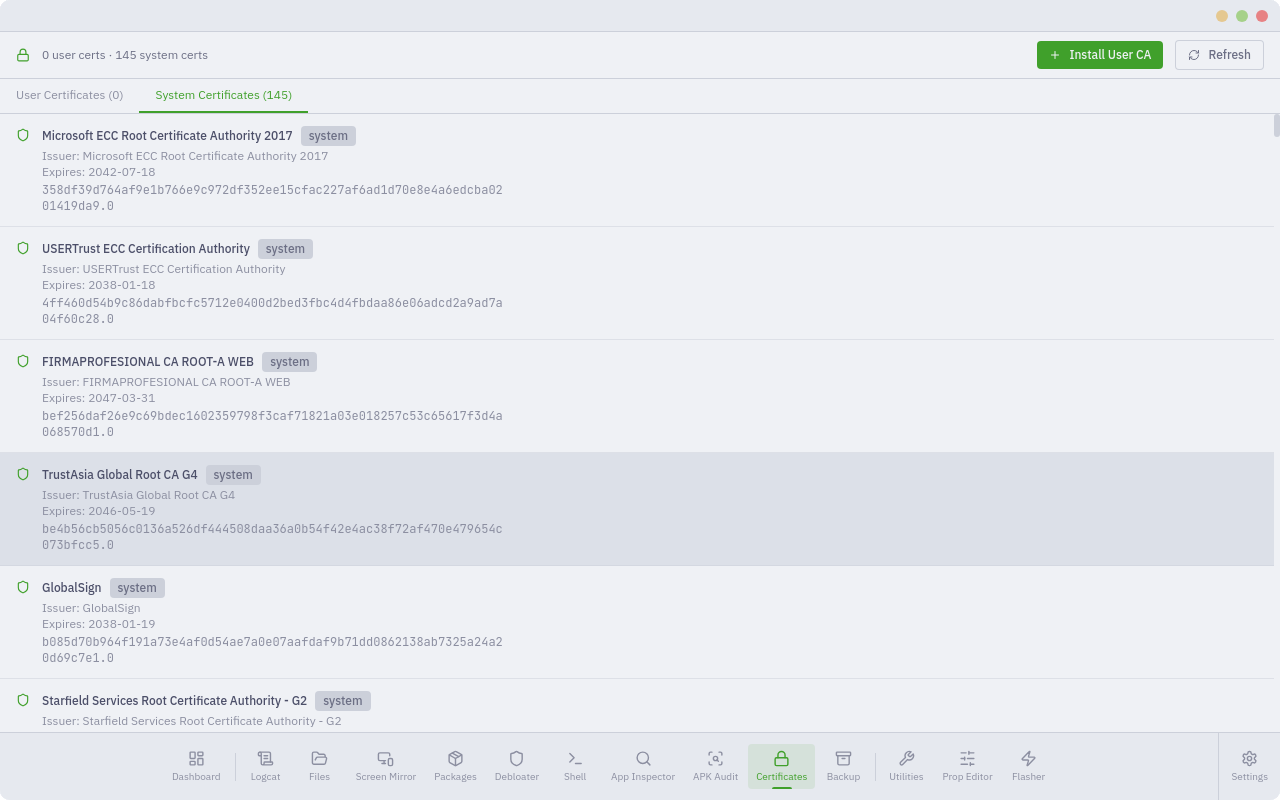
Certificate Manager
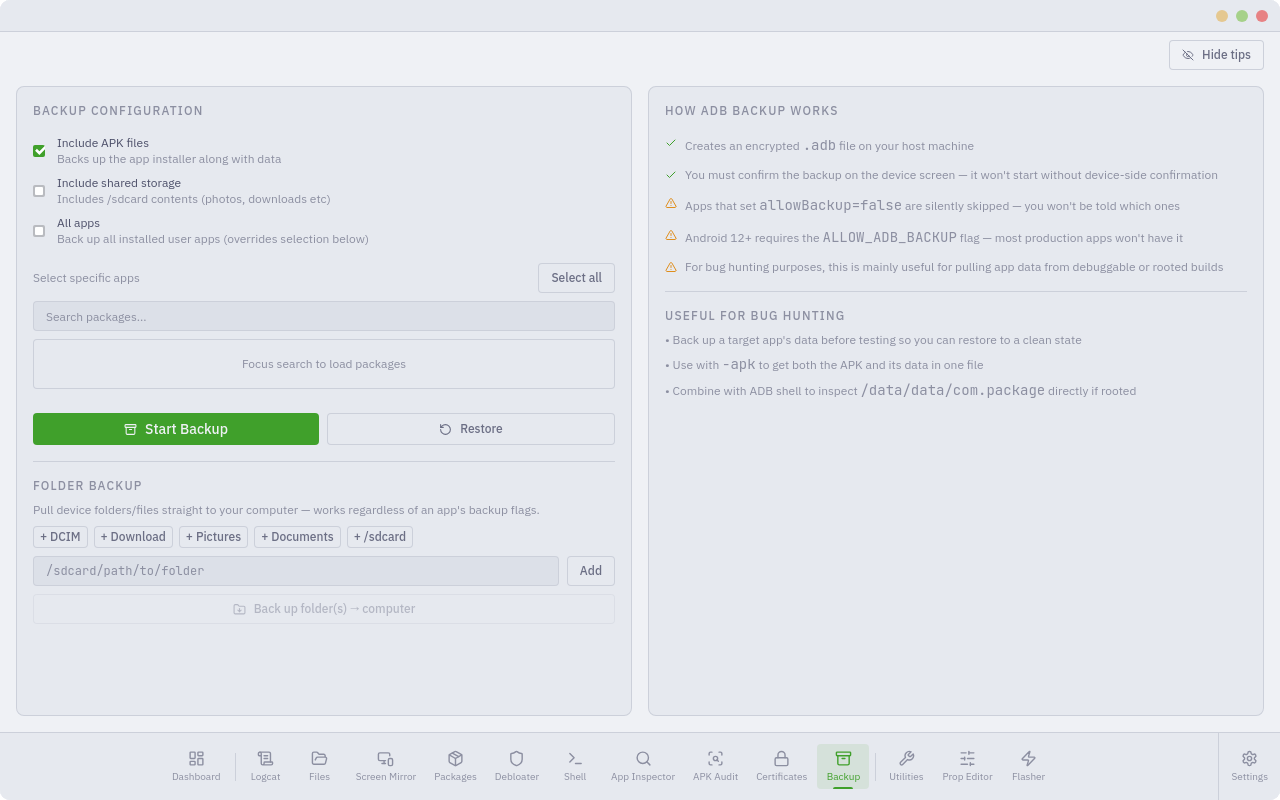
 | Device Backup
 |
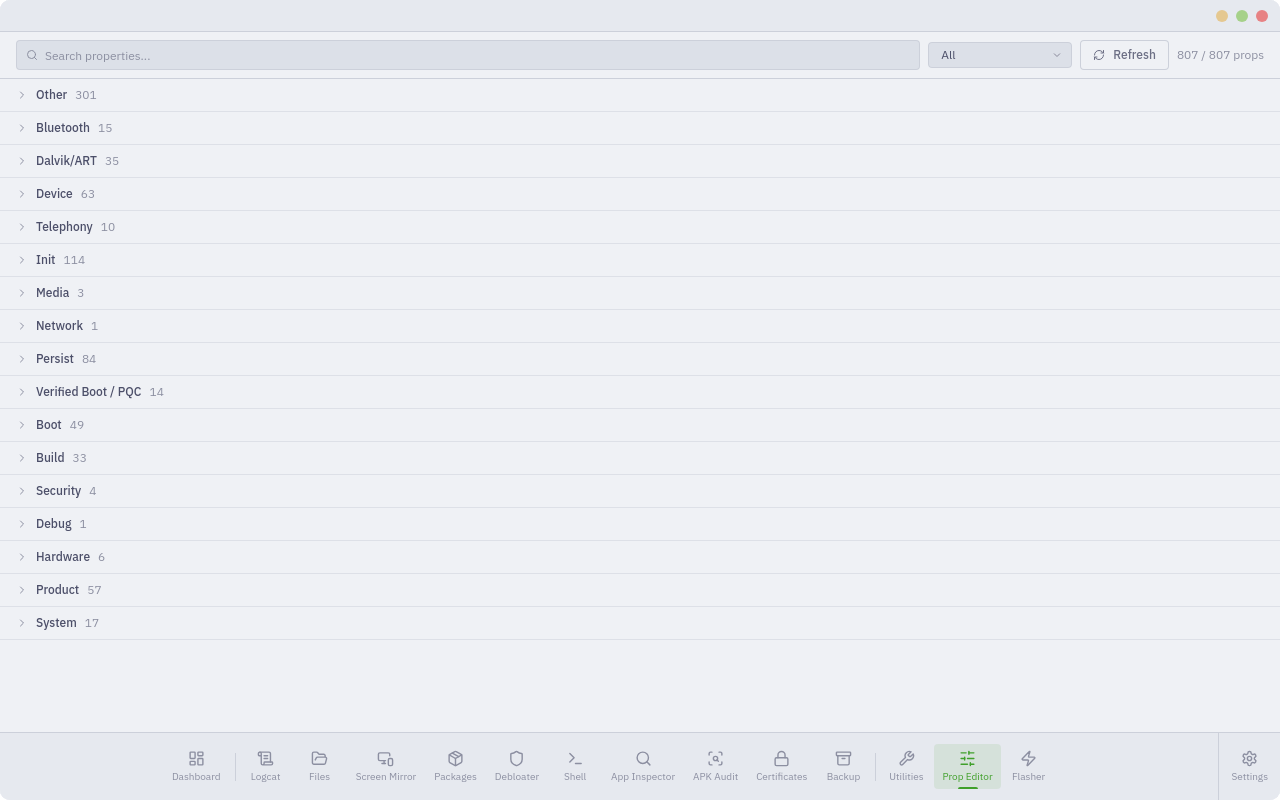
Prop Editor
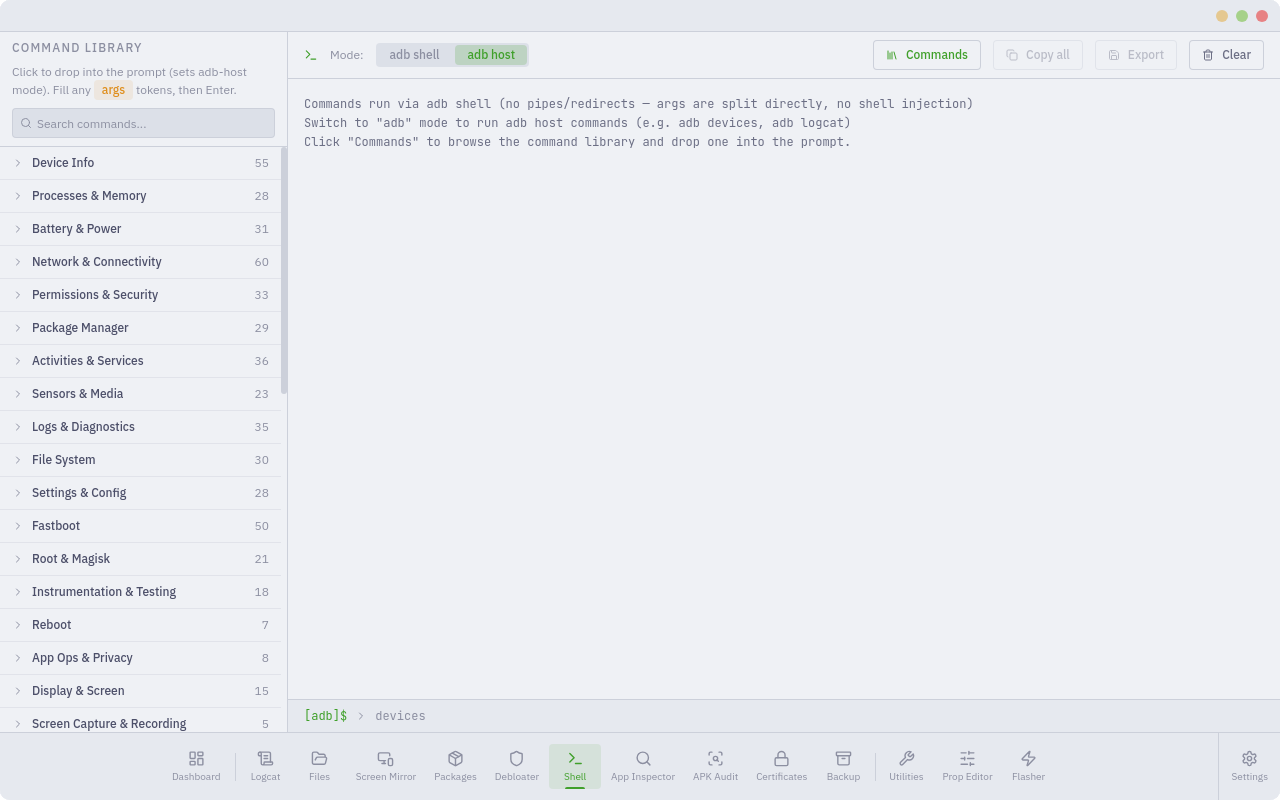
 | Shell Terminal
 |
Utilities
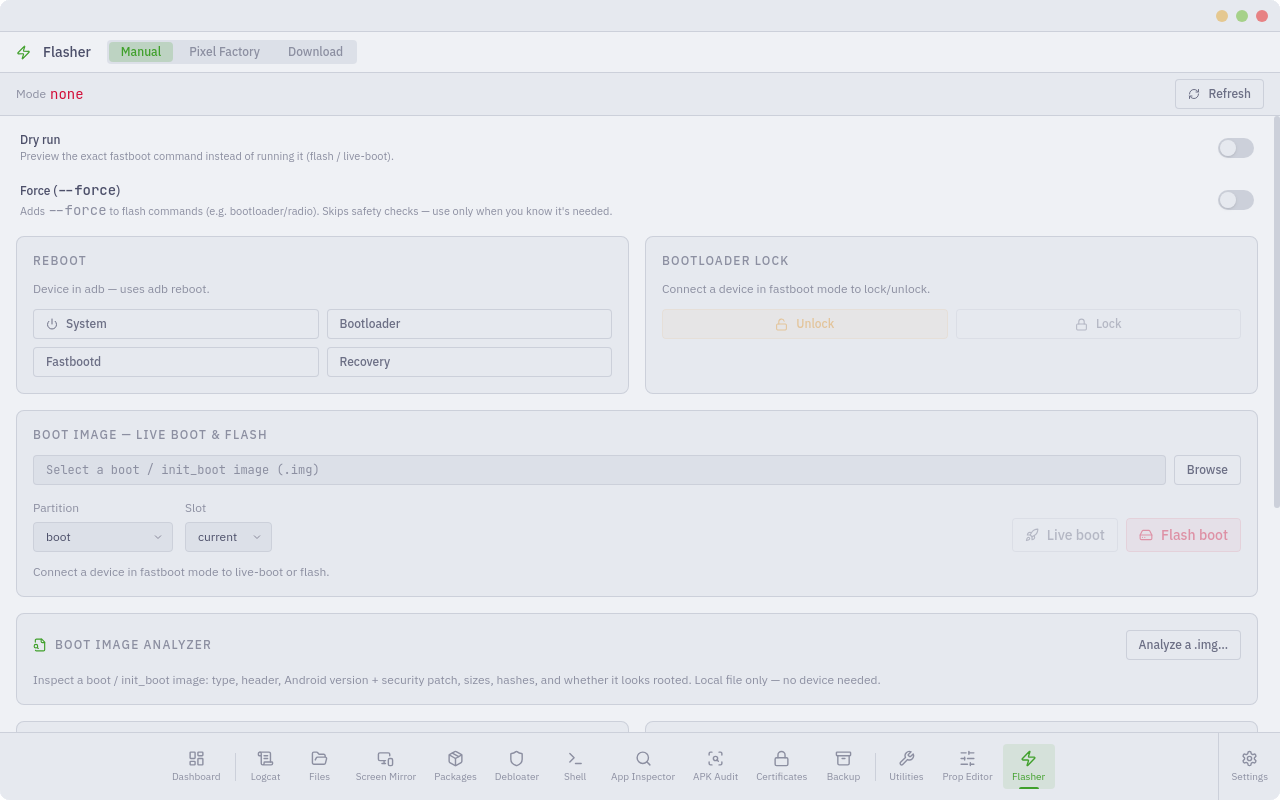
 | Flasher
 |
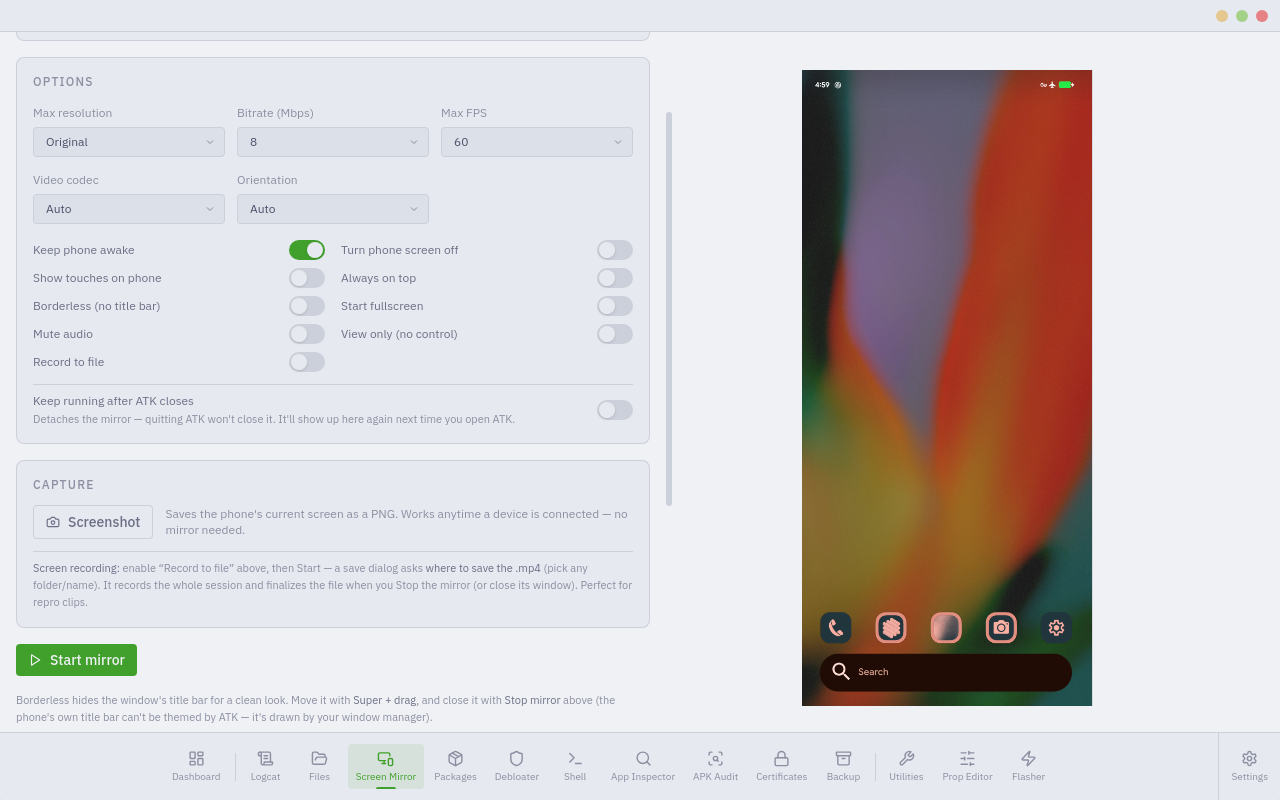
Screen Mirror prefs
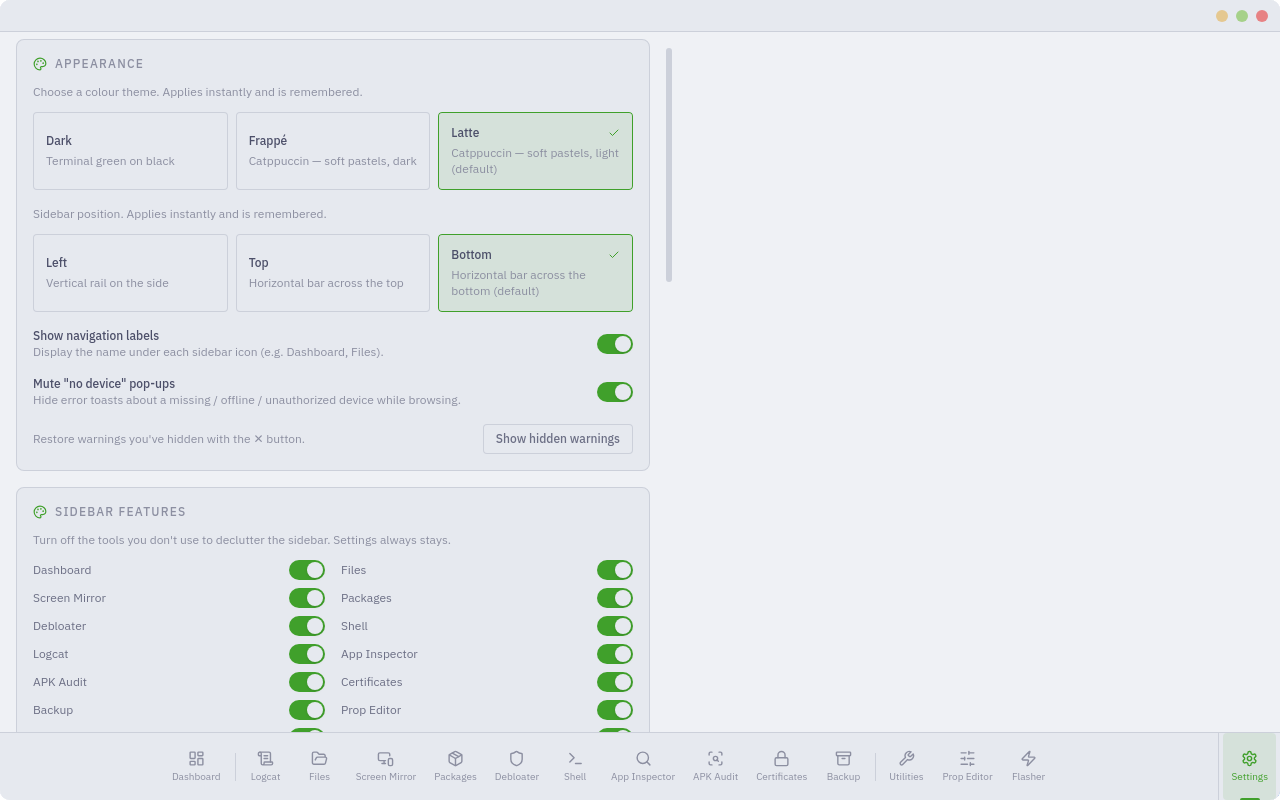
 | Settings: Appearance
 |
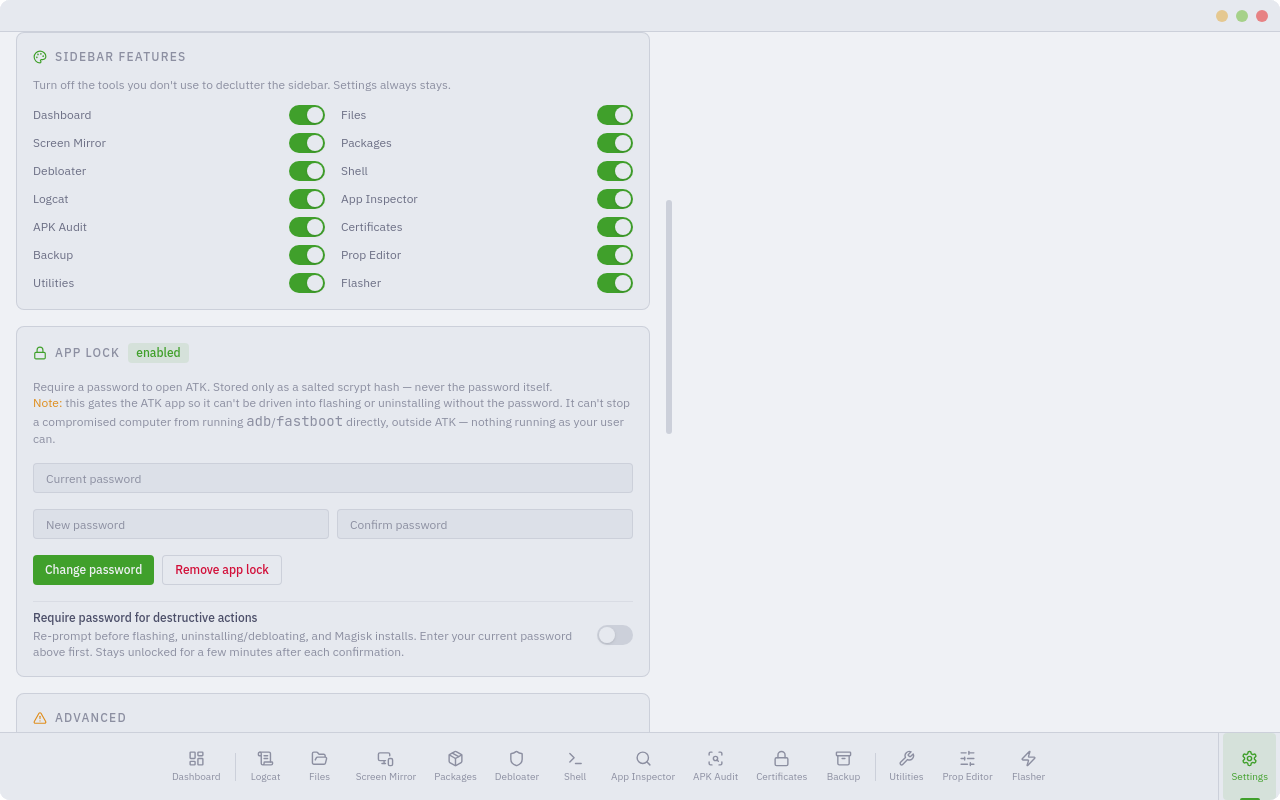
Settings: Features
 | Settings: Advanced
 |
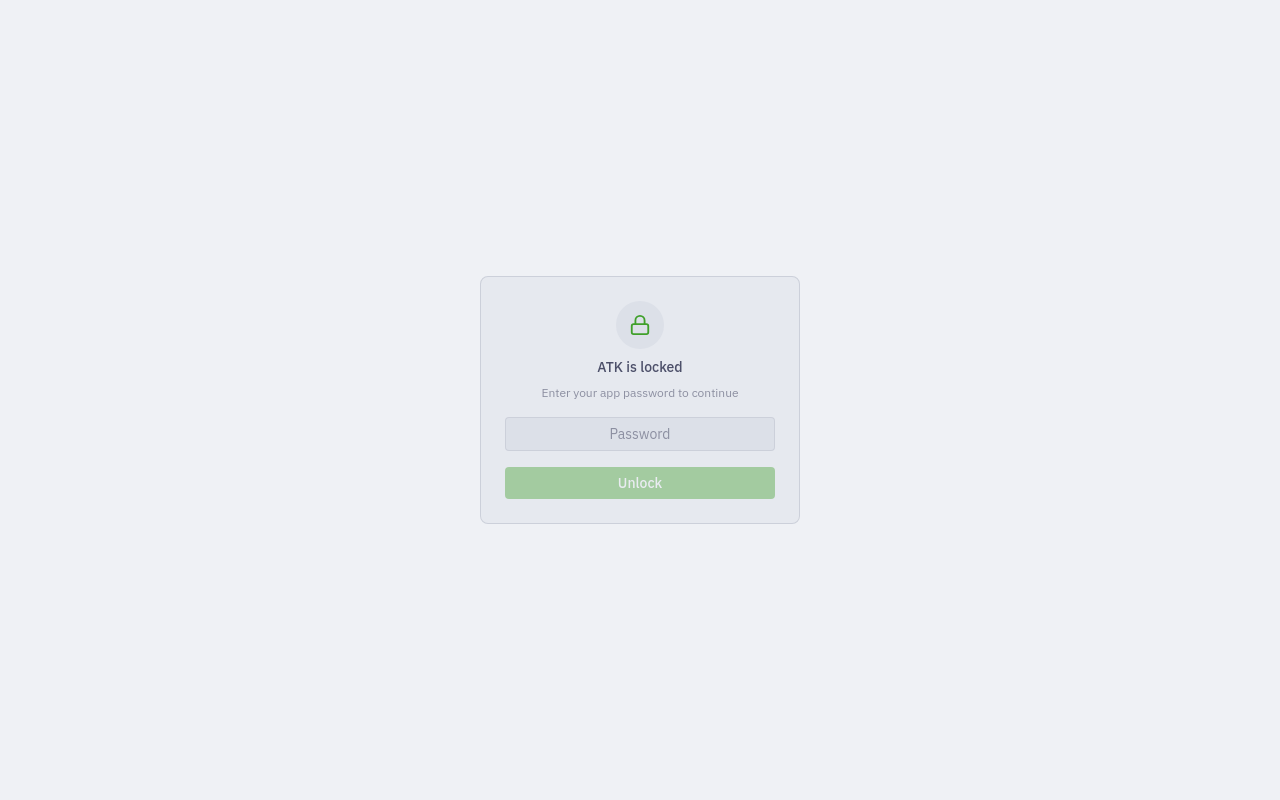
Password lock
 | Logcat (map mode)
|
> [!NOTE]
> The four demos above are hosted on GitHub's attachment CDN, so they play inline
> here. The copies in `screenshot/*.mp4` are no longer needed for playback and you
> can delete them to keep the repo small.
---
## Download
**[→ Latest Release](https://github.com/jegly/ATK/releases/latest)**
| Distro | Format | Install |
|-----------------|--------|--------------------------|
| Debian / Ubuntu | `.deb` | `sudo dpkg -i ATK-*.deb` |
> [!NOTE]
> Linux only. ATK is built and tested on Debian and Ubuntu. Other distros build
> from source (below).
The releases page publishes checksums. Verify before installing.
**Linux requirements**
```bash
sudo apt install adb fastboot libwebkit2gtk-4.1-0
# scrcpy is only needed for the Screen Mirror module:
sudo apt install scrcpy
```
---
## Modules
| Module | What it does |
|---|---|
| 🖥️ **Screen Mirror** | Live mirror and full control via scrcpy; detachable and recordable |
| 📊 **Dashboard** | Device info, wireless ADB, reboot controls |
| 📁 **File Explorer** | Browse the device and your computer, push and pull, image viewer |
| 📦 **Package Manager** | Install, uninstall, enable, disable, restore, pull APK, plus **privileged removal of protected system apps without root**. Correctly shows packages disabled/uninstalled by other tools (e.g. Canta/Shizuku) instead of hiding them, with a state filter (Enabled/Disabled/Uninstalled) |
| 📲 **APK Installer** | Batch-install APKs from a folder or hand-picked files, with live per-file progress and select all/none |
| 🧹 **Debloater** | 5,362 packages across Samsung, Xiaomi, Google, and 11 more OEMs |
| 💻 **Shell Terminal** | adb shell and host, command library, export session |
| 📡 **Live Logcat + System Map** | Real-time log streaming, plus a live, interactive map of system behaviour across subsystems |
| 🕵️ **App Inspector** | Permissions, components, certs, SSL-pinning check, plus a 0–100 **privacy score** from a DEX tracker/ad-SDK scan |
| 🚀 **Intent Lab** | List an app's launchable activities from `dumpsys` and start them with one click, plus a free-form implicit-intent launcher — reach hidden settings screens |
| 🔎 **APK Audit** | Static APK security audit: perms, trackers, certs, rule findings |
| 🔐 **Certificate Manager** | Install and remove user CAs for HTTPS interception |
| 💾 **Device Backup** | `adb backup` with app selection and restore |
| 🎚️ **Prop Editor** | Read and write all 300+ system properties |
| 🧰 **Utilities** | 631 one-click commands across 50+ categories |
| ⚡ **Flasher** | Fastboot, live-boot, Magisk root, firmware download |
| 💿 **GSI Loader** | Boot a Generic System Image via **DSU** (temporary, no unlock/wipe) or a danger-gated **permanent fastboot flash**, with a Treble/ABI/VNDK compatibility pre-check |
> [!TIP]
> Hide any module you don't use from **Settings → Sidebar Features**. 26 theme
> palettes — Dark, Catppuccin Frappé/Latte/Mocha/Macchiato, Dracula, Gruvbox
> Material, Nord, Tokyo Night, Solarized, Rosé Pine, Everforest, and more —
> plus a custom accent/text colour, 8 bundled display fonts, adjustable font
> size, and sidebar position (left, top, bottom) are all configurable too. A
> system tray icon (Linux) lets ATK keep running in the background instead of
> quitting.
---
## ✨ What's new in v1.3.0
- 🖥️ **System tray** (Linux): closing the window now offers **Minimize to
Tray** instead of only Quit, with a tray menu to show/hide the window or
quit for good.
- 📲 **APK Installer**: a new module to batch-install APKs from a folder or
hand-picked files, with live per-file progress and select all/none.
- 📦 **Package visibility fix**: Packages and App Inspector were silently
hiding any package disabled/uninstalled by tools like Canta or Shizuku
(`pm uninstall --user 0` doesn't fully remove it, just hides it from a plain
package list). They now show correctly, with a state filter
(Enabled/Disabled/Uninstalled) and per-row Restore/Enable/Disable/Uninstall.
- 🎨 **6 more theme palettes** — Nord, Tokyo Night, Solarized Dark/Light, Rosé
Pine, Everforest (26 total) — plus a custom text colour, 8 bundled display
fonts, and an adjustable base font size, all in Settings → Appearance.
- 🖱️ **Sidebar polish**: a horizontal (top/bottom) sidebar now shrinks label
text progressively as the window narrows instead of showing a scrollbar,
and a touchpad-triggered stuck-scrollbar-drag bug is fixed.
Previous release (v1.2.0)
- 💿 **GSI Loader**: boot a Generic System Image via **DSU** (temporary guest OS)
or a danger-gated **permanent fastboot flash**, with a built-in compatibility
pre-check.
- 🚀 **Intent Lab**: list and launch an app's exported activities from `dumpsys`,
plus a free-form implicit-intent launcher, to reach hidden settings screens.
- 🕵️ **Privacy & Tracker Scanner**: a 0–100 privacy score and A–F grade for any
app, from an offline DEX tracker/ad-SDK scan, built into App Inspector.
- 🔒 **App Lock**: password-protect the app and gate destructive actions
(flashing, permanent GSI install) behind a separate danger-unlock.
- 🎨 **~14 new theme palettes** — Dracula, Catppuccin Mocha/Macchiato, Gruvbox
Material, C64, Adventure Time, and more.
- 🧹 **Debloater**: unmatched device packages now show as **Unknown** instead of
disappearing from the list.
- 🔐 **Security**: fixed a path-injection issue in the local file viewer, and
bumped several dependencies with known CVEs (`x/image`, `x/net`, `vite`,
`postcss`, `esbuild`).
---
## 🖥️ Screen Mirror
See your phone on your computer and drive it with mouse and keyboard. ATK is the
control panel. The mirror opens in its own window you can move, resize, and snap
anywhere. It runs on scrcpy from your system install.
- 🕹️ **Full control**: tap, swipe, type, long-press, complete input from your desktop
- 🪟 **Detachable**: separate window, and you can keep it alive after ATK closes
- 📷 **Capture**: one-click screenshot (PNG) and full-session screen recording
- 🎛️ **Tunable**: max resolution, bitrate, FPS, stay-awake, turn-screen-off, show-touches, always-on-top, fullscreen, borderless
- ⌨️ **Shortcut cheat-sheet**: Home, Back, recents, copy and paste, rotate, and more, built in
> [!NOTE]
> Single-instance by design. Start always yields one window, and ATK clears the
> mirror on exit unless you asked it to stay.
---
## 📁 File Explorer
A file manager for the device and your computer.
- 🔀 **Two sources**: toggle between the phone (adb) and your local filesystem
- ⏱️ **Push and pull**: transfers with a live progress bar, ETA, and cancel
- 🎯 **Push by browsing**: pick files on your PC, browse the phone to the destination folder, then *Push here*, with no paths to type
- 🖱️ **Right-click**: Open, Pull to folder, Rename, Move, Copy path, Delete
- 🖼️ **Image viewer**: full-screen, with ← and → to flip through a folder (device or local)
- 🧭 **Navigation**: Back, Forward, Up history, and an editable path bar
---
## 📡 Live System Map
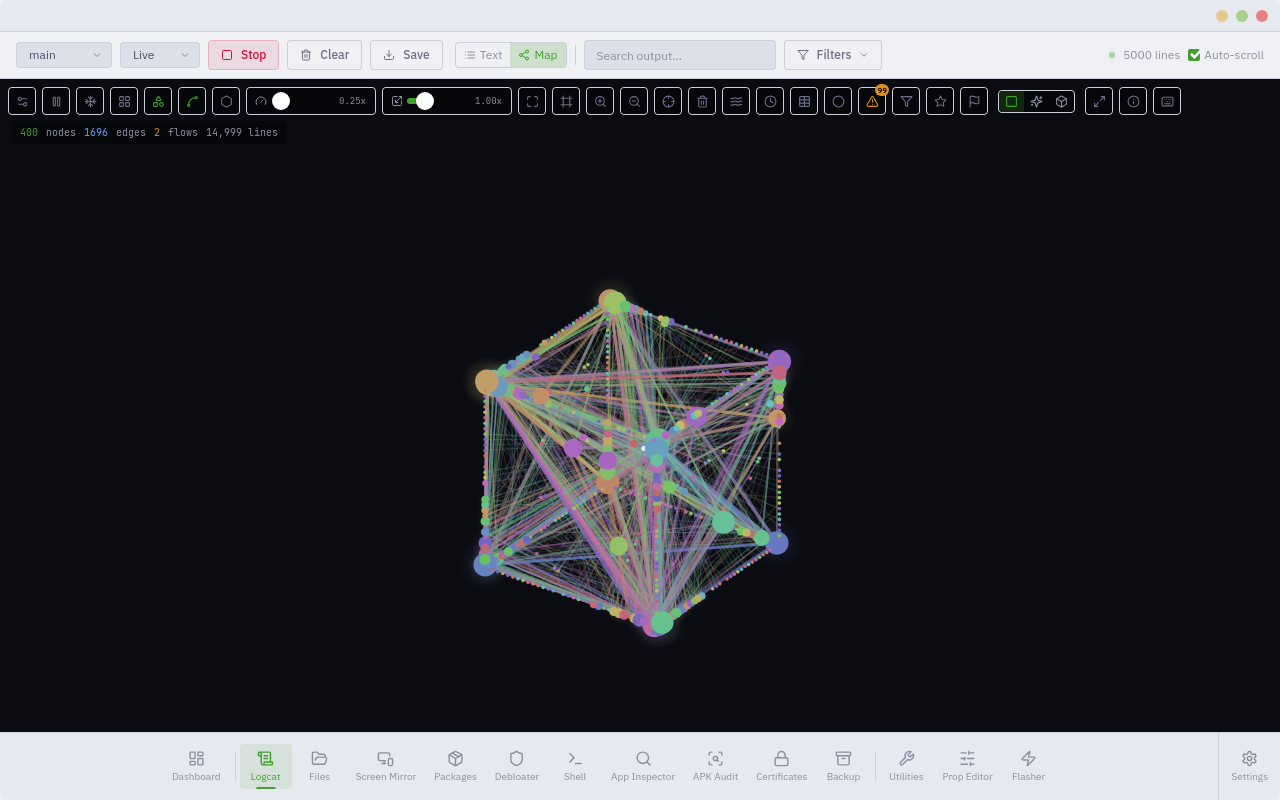
The Live System Map turns the raw logcat firehose into a live, interactive view
of what your phone is doing. It is a real-time engine that unifies system-level
telemetry from many subsystems into one live relational model, shown as an
interactive, multi-mode visualization. No other Android tool does this.
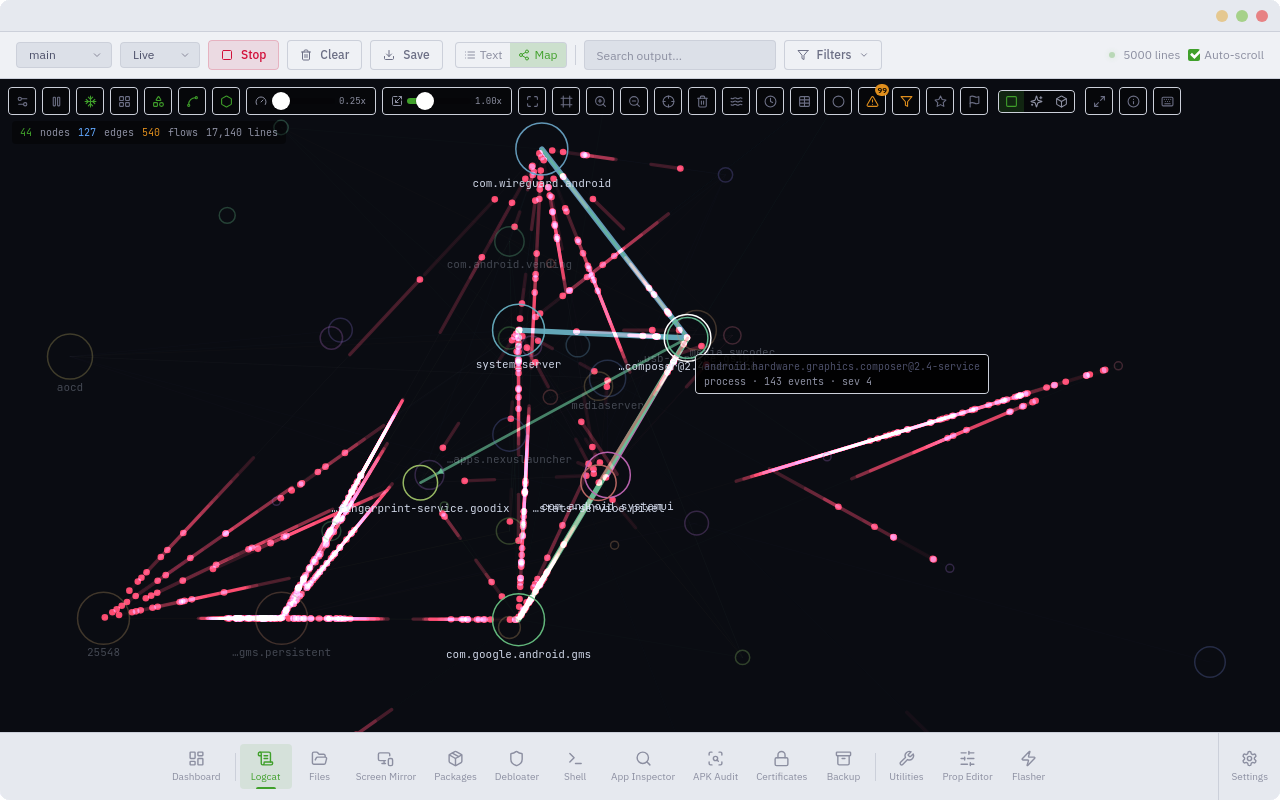
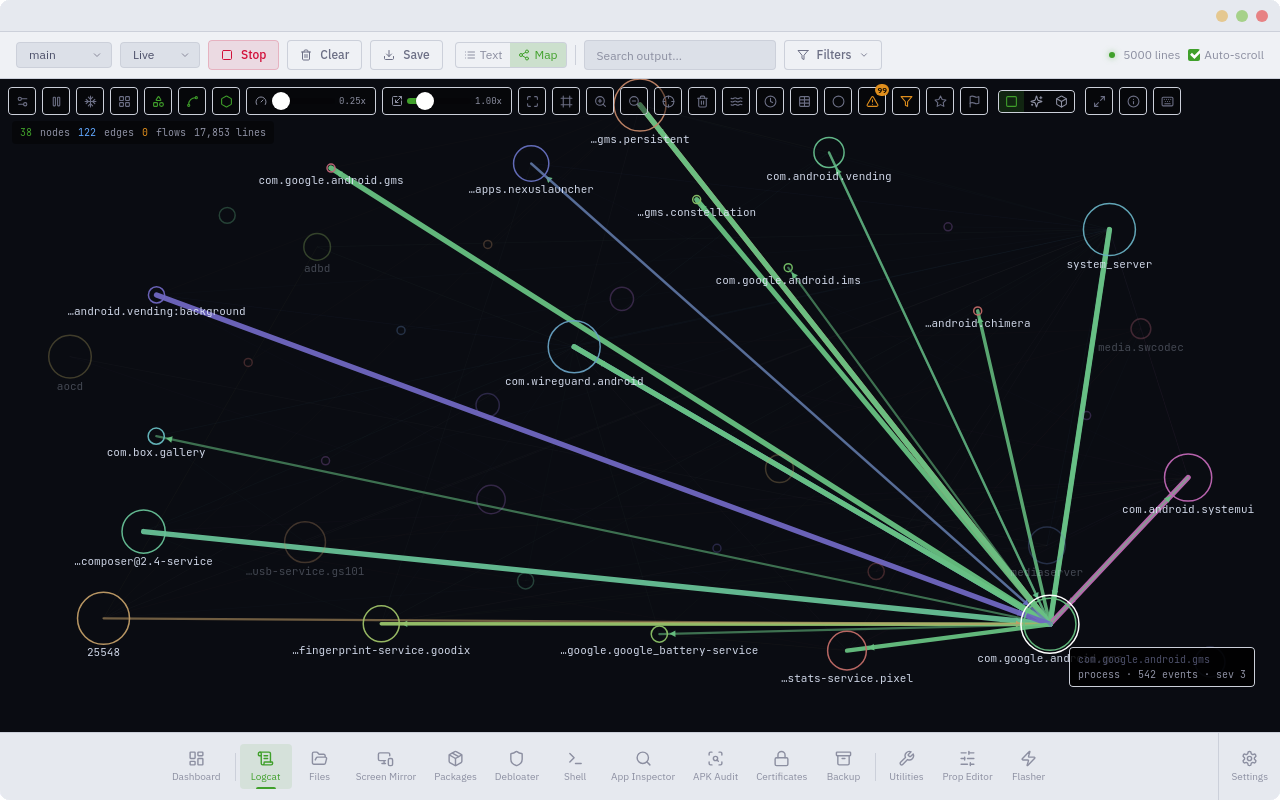
Processes, services, tags, and components become **nodes**. The relationships
mined from the stream become **edges**: launches, crashes, ANRs, kills, signals,
graphics and audio events, and temporal co-occurrence. Every event becomes a
packet that **flows** from source to destination. You get one coherent, live
picture of how `system_server`, SurfaceFlinger, the media and telephony stacks,
and your apps interact right now.
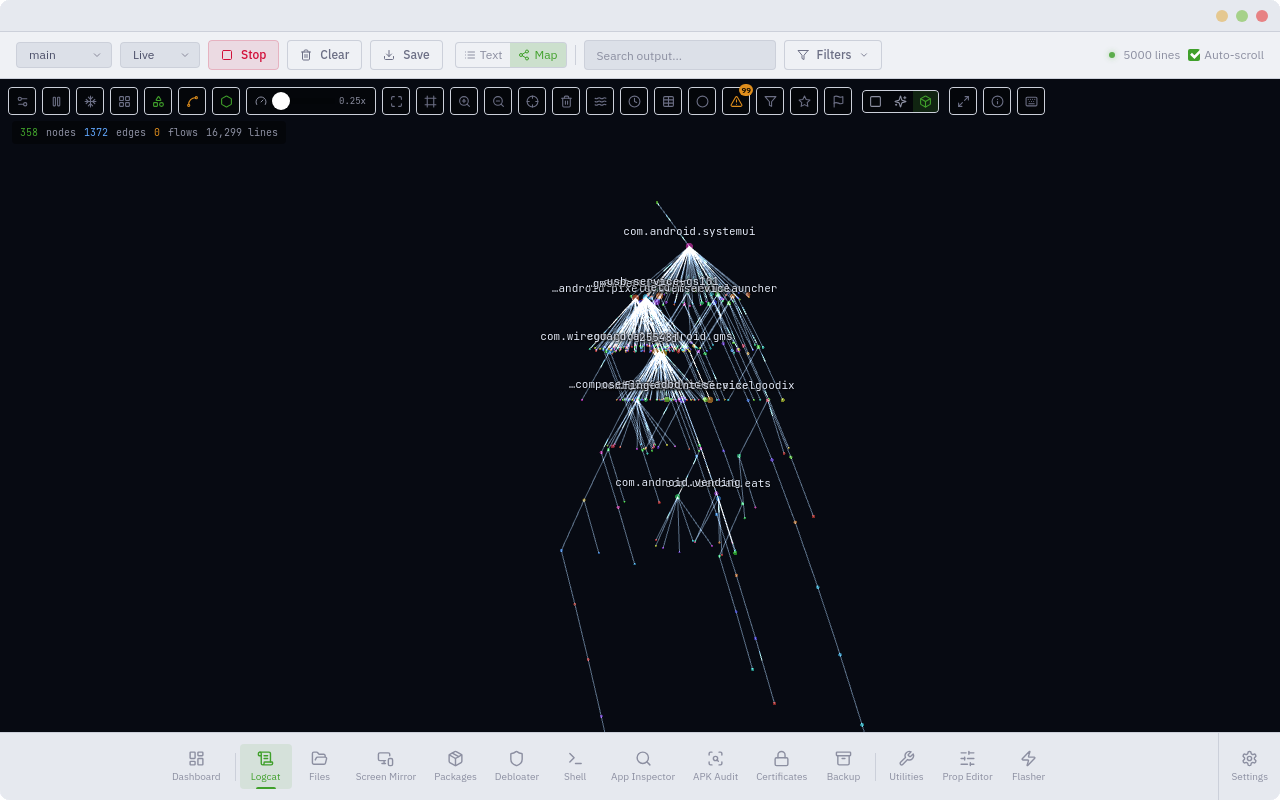
- 🌐 **Multiple render modes**: a crisp 2D graph, a neon flow view, and a 3D hierarchical tree
- 🧩 **Many layouts**: force-directed, hub boxes, radial-by-importance, and geometric arrangements
- 🌊 **Trackable flows**: follow individual events travelling between subsystems, source to destination
- 🚨 **Surfacing**: crashes, ANRs, and errors auto-alert and ping their node, and you can add keyword watch-rules
- 🎯 **Focus tools**: isolate one node's traffic, build a watchlist, filter by severity or kind, scrub a timeline, diff against a baseline
- 🎥 **Capture and export**: record the packet stream and pull it out for offline analysis
- ⌨️ **Built for flow**: pause and resume, fullscreen, freeze, search-to-step, colour-coding, savable presets
Read it as a node-link graph to understand structure, or as flowing packets to
watch behaviour. Pick the mode that fits your question.
---
## ⚡ Flasher
All flash tooling in one place across three tabs, with a live device-info bar up
top (connection mode · slot · bootloader · lock state · root).
| Tab | What it does |
|---|---|
| **Manual** | Reboot menu (system, bootloader, fastbootd, recovery), bootloader unlock and lock, flash any safe-listed partition, getvar, ADB sideload, **live-boot** an image, or flash boot/init_boot to a chosen slot |
| **Pixel Factory** | Drag in (or browse to) a Google factory `.zip`. ATK reads `flash-all.sh` and runs the right sequence. Options: wipe or keep data, disable-verity and verification, both slots |
| **Download** | Fetch official Pixel **factory or OTA** images by device, straight from Google, with a progress bar and automatic **SHA-256 verification** |
> [!IMPORTANT]
> **Rooting (optional).** Enable it in `Settings → Advanced`. ATK can download and
> install Magisk for you, extract boot/init_boot from a factory zip, push it for
> the Magisk app to patch, pull the patched image back, then **live-boot** it
> (temporary root) or **flash** it (permanent). It needs an unlocked bootloader.
> Flashing can wipe or brick a device, so proceed carefully.
Browse factory images: https://developers.google.com/android/images
---
## 💿 GSI Loader
Boot a Generic System Image (GSI) two different ways, each with its own risk
profile.
| Mode | What it does |
|---|---|
| **DSU (Temporary)** | Loads the GSI as a guest OS via Android's Dynamic System Updates. No bootloader unlock, no data wipe — reboot to return to your normal system |
| **GSI Flasher (Permanent)** | Fastboot-flashes the GSI to the system partition. Destructive: wipes userdata, needs an unlocked bootloader. Danger-gated behind App Lock |
Both modes run a **compatibility pre-check** first — Treble enablement, CPU ABI,
VNDK isolation, and Android version — so you know whether a GSI is even viable
on the connected device before you commit to either path. You supply the GSI
image file (ATK doesn't fetch these — see Android Flash Tool / ci.android.com).
> [!IMPORTANT]
> The permanent flash path wipes user data and requires an unlocked bootloader.
> It's gated behind App Lock's danger-unlock, same as other destructive flash
> operations.
---
## 🔎 APK Audit
A static security audit of any APK, whether a browsed file or an app pulled off
the device. The engine is hybrid: it uses Android SDK tools when present and a
pure-Go fallback otherwise, so it works with zero extra dependencies.
- **Score and grade** with a severity breakdown
- **Dangerous permissions** highlighted
- **Tracker and ad-SDK** detection
- **Rule findings** tagged with CWE and MASVS
- **Decoded manifest** with exported components
- **Signing certificate**: identity, scheme (v1/v2/v3), SHA-256 and SHA-1
- **Explorer**: browse the APK, view text, images, and hex
- **Export** to JSON, CSV, and SARIF
---
## 🧹 Debloater
The package database comes from Universal Android Debloater (UAD-ng): **5,362
packages** across 14 manufacturers, each with a safety rating. Beyond enable and
disable, ATK can run a **privileged uninstall of protected system apps without
root**, and **restore** them later, using a Canta and Shizuku-style technique
over ADB.
| Rating | Meaning |
|---|---|
| 🟢 **Safe** | Generally safe to remove |
| 🟡 **Caution** | Disable rather than uninstall; may affect device behaviour |
| 🔴 **Keep** | Do not remove; will break core system functionality |
Coverage: Samsung · Xiaomi · OnePlus/Oppo · Huawei · Sony · Motorola · LG · Nokia/HMD · Asus · Realme · Google · Carriers · AOSP · Misc
---
## 🔒 Security
> [!NOTE]
> - **No bundled binaries.** ATK resolves `adb`, `fastboot`, and `scrcpy` from your PATH. Settings shows each binary's path and SHA-256 to verify against Google's published checksums.
> - **No host shell string-building.** Host commands use `exec.Command(binary, args…)` (direct `execve`, no shell). Paths sent to the *device* shell are quoted, so filenames with spaces or special characters stay safe.
> - **Input validation.** ATK validates package names, partitions, IPs, and remote paths. Fastboot flash uses a partition allowlist. Destructive flash and bootloader actions confirm first.
> - **App Lock.** Optionally password-protect the app itself, with a separate danger-unlock required for destructive actions (permanent flashing, permanent GSI install, wiping).
---
## Build from Source
**Prerequisites on Ubuntu/Debian**
```bash
sudo apt install -y build-essential pkg-config libgtk-3-dev \
libwebkit2gtk-4.1-dev adb fastboot
# Go 1.25+ (required by go.mod)
wget https://go.dev/dl/go1.25.0.linux-amd64.tar.gz
sudo rm -rf /usr/local/go
sudo tar -C /usr/local -xzf go1.25.0.linux-amd64.tar.gz
echo 'export PATH=$PATH:/usr/local/go/bin:$HOME/go/bin' >> ~/.bashrc
source ~/.bashrc
# Node + pnpm + Wails
curl -fsSL https://deb.nodesource.com/setup_20.x | sudo -E bash -
sudo apt install -y nodejs
sudo npm install -g pnpm
go install github.com/wailsapp/wails/v2/cmd/wails@latest
```
**Build and run**
```bash
git clone https://github.com/jegly/ATK
cd ATK
go mod tidy
cd frontend && pnpm install && cd ..
wails build -tags webkit2_41
./build/bin/ATK
```
**Dev mode (hot reload):** `wails dev -tags webkit2_41`
> [!NOTE]
> **About the Live System Map.** The map engine is the one closed-source part of
> ATK, and its sources are not in this public repo. The **pre-built releases ship
> the complete app**, map included, and that is the supported way to run ATK with
> the map. Building from this repo gives you the full toolkit minus the map module.
**Package as .deb**
```bash
go install github.com/goreleaser/nfpm/v2/cmd/nfpm@latest
wails build -tags webkit2_41
nfpm pkg --packager deb --target build/
sudo dpkg -i build/atk_*.deb
```
### Other distros
Build from source as above (`wails build -tags webkit2_41`) and run
`./build/bin/ATK` directly. You need `adb`, `fastboot`, GTK 3, and WebKit2GTK 4.1
present.
---
## License
ATK is released under the **GNU General Public License v3.0**. The debloater
database derives from the **Universal Android Debloater** project (GPL-3.0),
originally created by [0x192](https://github.com/0x192/universal-android-debloater)
and continued by the Universal-Debloater-Alliance's
[Next Generation](https://github.com/Universal-Debloater-Alliance/universal-android-debloater-next-generation)
fork. See `LICENSE` for full terms and third-party attributions.
github.com/jegly/ATK